
Photo to Cartoon: Turn Any Picture into a Cartoon with AI
Upload a photo, pick a cartoon style and get the same picture back as a 3D character, a classic hand-drawn cartoon, a comic panel or a chibi avatar. The AI keeps your face, hair and outfit, so the cartoon still looks like you. Once it is drawn, one click turns it into a short video.
Your photo and the result stay private in your account. No watermark.
Photo to cartoon examples
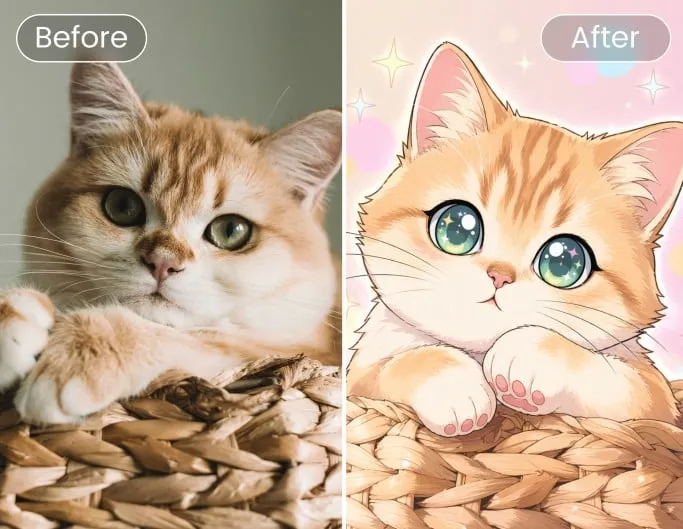
Before and after: the photo on the left, the cartoon on the right. One example of each look you can pick above, from a portrait to a group and a pet.
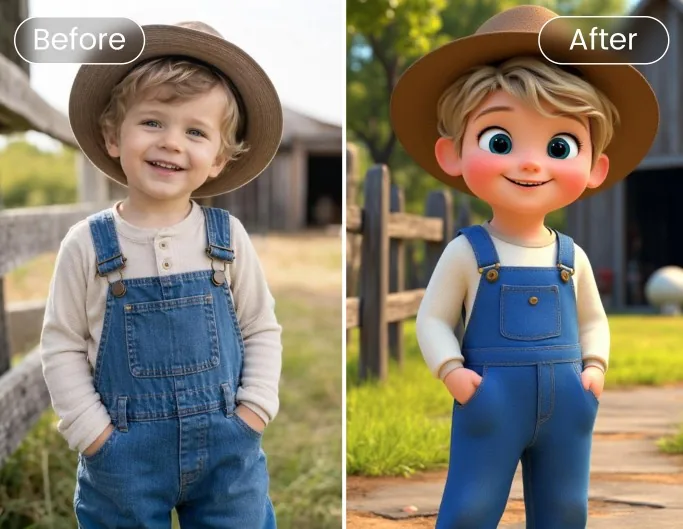
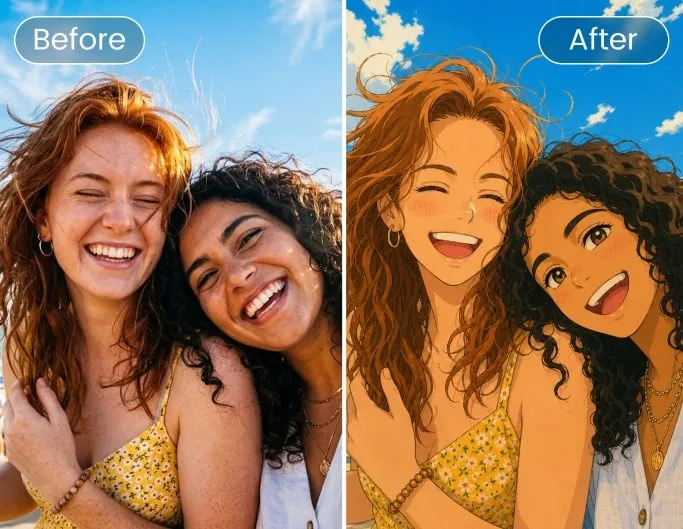
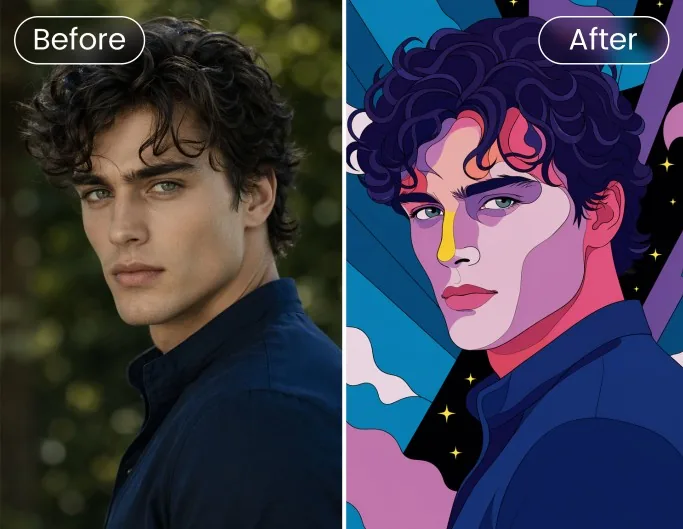
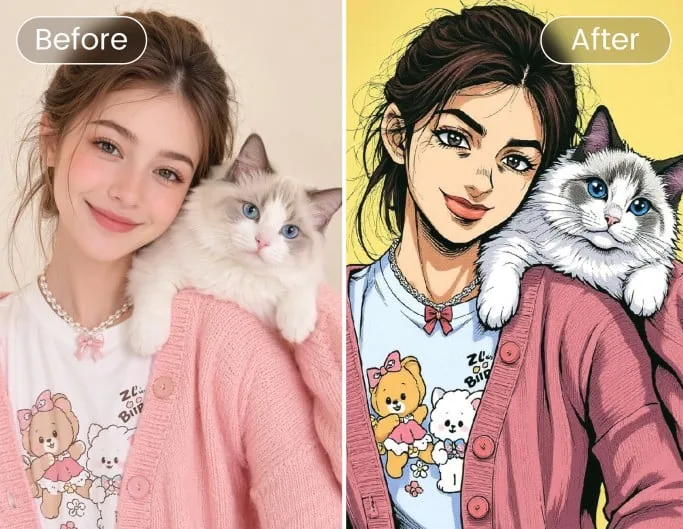
Pick a cartoon style
Five looks, each tuned to keep the person or pet in the photo recognisable. Try one, then run the same photo in another.
3D cartoon
A rounded 3D animated-movie character with soft lighting.
Classic animated
Hand-drawn feature-film look: big eyes, soft cel shading.
2D cartoon
Flat colours and bold outlines, like a TV cartoon.
Comic book
Ink lines, halftone dots and punchy print colours.
Chibi avatar
A cute big-head avatar made for profile pictures.
How to turn a photo into a cartoon
- 1
Upload your photo
A clear, well-lit picture works best: a selfie, a family shot or your pet. JPG, PNG, WebP and iPhone HEIC are accepted.
- 2
Choose a cartoon style
3D cartoon, classic animated, 2D cartoon, comic book or chibi avatar. The price is on the button before you start.
- 3
Download it, or make it move
The picture is drawn in about half a minute. Download it, try another style, or press "Make it move" to turn the cartoon into a short video in one click.
Why cartoon yourself with ToonBee AI
It still looks like you
The image to cartoon edit keeps face shape, hairstyle, skin tone, clothes and pose, so friends know who it is at a glance.
More than one cartoon look
Most photo to cartoon converters give you one filter. Here you can turn the same picture into a 3D character, a 2D cartoon, a comic panel or a chibi avatar.
Groups and pets too
Couples, families and pets are redrawn together in the same style, each kept as they are in the photo.
Private, with no watermark
Your photo and the cartoon are saved in your own account and are not published anywhere. Downloads carry no watermark.
Works in the browser
Turn a picture into a cartoon on a phone or a computer. Nothing to install, and iPhone photos upload as they are.
Ready to become a video
Unlike a plain picture to cartoon tool, the result can go straight into the video generator as the first frame of a short clip.
What people make with photo to cartoon
Profile pictures
A chibi or 3D cartoon avatar for Instagram, Discord, WhatsApp or a gaming profile.
Gifts and cards
Turn a couple or family photo into a cartoon for a birthday card, a mug or a framed print.
Pet portraits
Your dog or cat as a cartoon character, for a sticker, a poster or a social post.
Characters for your stories
Cartoon yourself or your kids, then use the picture as the starting point for an animated clip.
Want your cartoon to move?
After the picture is drawn, "Make it move" opens the video generator with your cartoon as the first frame: describe the motion and get a short clip. Videos are priced in the generator. For more ways to bring a still image to life, see the AI animation generator.
AI animation generatorTips for a better cartoon
- Use a sharp photo where the face is not tiny: a head-and-shoulders shot cartoons best.
- Even, soft light helps the AI keep skin tone and features right.
- For a chibi avatar, a front-facing photo with a plain background gives the cleanest result.
- Not quite right? Run the same photo again or switch style: each try is drawn fresh.
Is photo to cartoon free?
New accounts get 100 free credits. One cartoon costs 20 credits, so you can turn 5 photos into cartoons free before paying anything.
After that, credits come in packs or with a plan. The smallest pack is 4000 credits for $49, with no subscription, which covers 200 cartoons. Credits are only used when a picture is made, and a failed one is refunded.
Photo to cartoon FAQ
How do I turn a photo into a cartoon?
Upload your photo at the top of this page, pick a cartoon style and press the button. The AI redraws the same picture as a cartoon in about half a minute, and you can download it right away.
Is this photo to cartoon converter free?
You can try it free: new accounts get 100 credits, enough for 5 cartoons at 20 credits each. After that you buy credits or a plan. There is no watermark on free or paid results.
How can I cartoon myself and still look like me?
Use a clear photo where your face is well lit and not too small. Every style is set up to keep your face shape, hairstyle, skin tone and outfit, so the cartoon is recognisably you. If one try misses, run it again or try another style.
Can I turn an image to cartoon with pets or several people?
Yes. Group photos and pets work: everyone in the picture is redrawn in the same style. For big groups, a photo where each face is reasonably large gives the best result.
Which cartoon styles can I choose?
Five: 3D cartoon, classic animated (a hand-drawn feature-film look), 2D cartoon, comic book and chibi avatar. You can run the same photo through as many styles as you like.
Can I turn a picture into a cartoon on my phone?
Yes. The page works in any mobile browser, and photos from an iPhone (HEIC) are converted on upload.
Is my photo kept private?
Your upload and your cartoon are stored in your own account and are not shown in the public gallery. You can delete them from your files at any time.
How do I turn my cartoon picture into a video?
Press "Make it move" next to the finished picture. It opens the video generator with your cartoon as the first frame; describe the motion (waving, dancing, a smile and a wink) and generate a short clip. That step is charged as a video, not as a picture: the 20-credit price covers the cartoon only, and the video's credits depend on the model and length you pick, shown on the button before you start.
Turn your photo into a cartoon
Upload a picture, pick a style and see yourself as a cartoon in under a minute.
Upload a photoOutils associés
D’autres pages qui ouvrent le même studio, préparé pour un autre type de vidéo.
- Générateur d’animation IADes clips animés courts, ou une image fixe qui prend vie.
- Dessin animé IATransformez une idée ou un script en dessin animé avec voix off.
- Anime IADes vidéos d’histoires au style anime, avec voix off.
- Fond d'écran HalloweenFonds d’écran Halloween gratuits, ou créez le vôtre.
- Animal qui parle IAUn animal qui parle : faites parler votre chien en photo.
- GalerieParcourez des clips d’exemple et réutilisez leurs prompts.