Cartoon GIF Maker: Draw Your Own Animated Cartoon GIFs with AI
Describe a cartoon character and what it does, or upload a drawing, a mascot or a photo to turn into a cartoon, and get a looping cartoon GIF: a waving mascot, a dancing cat, a sticker that says hi. No animating by hand and no templates: GPT Image 2.6 draws every frame.
One GIF per run. GIFs stay private in your account, with no watermark. A GIF the model declines costs nothing.
ToonBee AI runs GPT Image 2.6 through fal’s API. Not affiliated with OpenAI, Giphy or Canva.
Cartoon GIF examples made with AI
Cartoon characters and mascots set in motion, most of them from a single picture (shown in the corner). Open a prompt and send it to the box.
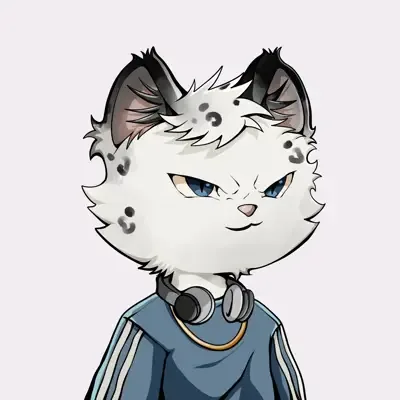 From a drawing
Cat chef
A cat character becomes a chef flipping vegetables under bouncing letters: one picture, a whole little scene.
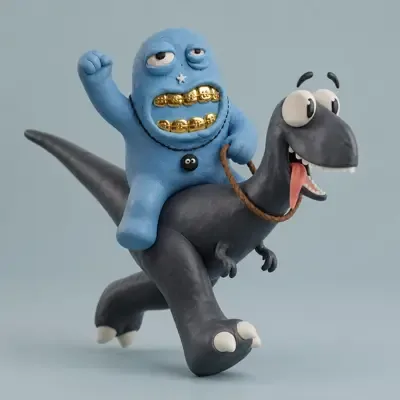 From a drawing
Dino run cycle
A 3D cartoon rider on a dinosaur that runs in place: a classic walk-cycle loop.
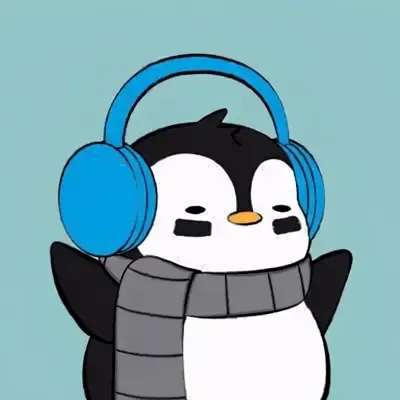 From a drawing
Penguin on the peak
A penguin profile picture, moved to a snowy summit with a flag snapping in the wind.
- From a drawing
Moon cat with a sign
A space-suited cat on the moon waving a ‘HODL!’ sign: short words inside a cartoon GIF.
 From a drawing
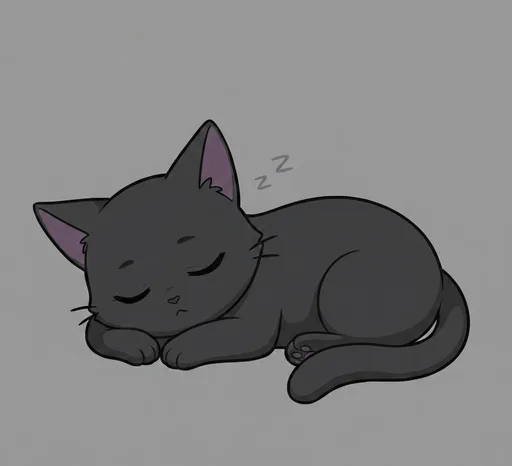
Sleepy cat
A flat cartoon cat snoozing, tail swaying, little z’s floating up. A good “goodnight” GIF.
 From a drawing
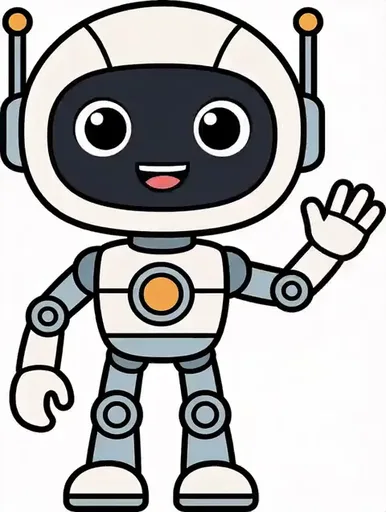
Mascot wave
A flat robot mascot waves and bobs in its own style: the loop a brand mascot needs.
Pick a cartoon style
The box adds the style to your prompt for you. Pick one, or choose ‘As written’ and describe your own.
Flat 2D cartoon
Clean outlines and bright flat colors, like a TV cartoon or a sticker. The default, and the steadiest from frame to frame.
Chibi 3D
Big heads, tiny bodies, soft toy-like 3D. Good for cute reactions and mascots.
Clay
Soft claymation figures with a handmade look, like stop motion.
Pixel art
Crisp pixels and a small palette, for retro game sprites and emotes.
Your own drawing
Upload your character, mascot or doodle and choose ‘As written’ to keep your own style while it moves.
A photo, cartoonized
Upload a photo of yourself or a friend with Flat cartoon picked, and get back a cartoon version that waves, laughs or dances.
How to make a cartoon GIF
- 1
Describe the cartoon
Who it is and what it does, start to finish, or tap an idea above the box. Add a drawing or photo if you have one.
- 2
Pick a style and length
Flat cartoon, chibi 3D, clay or pixel art; 4 to 12 frames; slow, normal or fast. Square suits stickers.
- 3
Generate and share
See the credits on the button, generate, then download a .gif for chats, stories, Discord or your site.
What to make with a cartoon GIF maker
Stickers and emotes
Square cartoon loops that wave, laugh or say hi, for Discord, Twitch, Telegram or WhatsApp.
Mascots and brand loops
Your logo character giving a thumbs up or waving on a landing page, an email or a post.
Greetings
Birthday cakes, goodnight cats, thank-you dances: a cartoon GIF made for one person.
Characters you drew
Test how your own cartoon character moves before you make a full cartoon video.
Prompt tips for cartoon GIFs
- One character and one action reads best at GIF size: ‘a cartoon frog jumps and lands’.
- Describe the motion as a sequence and end where it started, or add ‘seamless loop’.
- Ask for a plain background and a static camera; cartoon scenes with lots going on jitter.
- Short words work: put them in quotes, e.g. ‘HI!’ or ‘THANK YOU’. Long sentences may come out garbled.
- For stickers, ask for ‘a white outline’ and pick the square shape.
- Uploading your own character? Say ‘same character, same colors’ so it is not redesigned.
Cartoon GIF maker pricing
Every cartoon GIF is priced by frames and quality, and the price shows on the button before you start. New accounts get 100 free credits: 2 cartoon GIFs of 8 frames at high quality, or more at medium.
| Frames | Medium | High |
|---|---|---|
| 4 | 15 credits | 18 credits |
| 6 | 23 credits | 27 credits |
| 8 | 30 credits | 36 credits |
| 12 | 45 credits | 54 credits |
The smallest credit pack is 4,000 credits for $49, about 111 cartoon GIFs of 8 frames at high quality; the credits also work for cartoon videos.
AI cartoon GIF maker vs Giphy, Canva and ezgif
The GIF makers most people know put together a GIF from material you already have, or from stickers someone else animated. An AI cartoon GIF maker draws a cartoon that did not exist yet.
| Giphy, Canva, ezgif | AI cartoon GIF maker | |
|---|---|---|
| You start from | A video, your photos, or ready-made animated stickers | A sentence, or your own drawing or photo |
| Your own character | Only if you animate it yourself | Upload it and describe the motion |
| Style | Whatever the clip or template has | Flat cartoon, chibi 3D, clay, pixel art or your own |
| Text on the GIF | Captions added on top, any length | Short words drawn into the cartoon |
| Cost | Usually free | Credits per GIF, shown before you start |
This page does not convert videos to GIFs or add captions to an existing GIF; Giphy, Canva or ezgif do those well.
Cartoon GIF maker FAQ
How do I make a cartoon GIF?
Describe the character and what it does in the box, keep the Flat cartoon style, and press Generate GIF. Or upload a drawing or photo first and describe how it should move.
Is this cartoon GIF maker free?
You can start free with the 100 credits new accounts get, enough for 2 cartoon GIFs of 8 frames at high quality. After that a GIF costs 15 to 54 credits. There is no watermark.
Can I turn myself into a cartoon GIF?
Yes. Upload a clear photo with the Flat cartoon (or Chibi 3D) style picked and say what you should do, such as wave or laugh. In our tests the face, hair and clothes stayed recognizable in every frame.
Can I animate a cartoon character I drew?
Yes. Upload the drawing, choose ‘As written’ to keep your own style, and describe the motion. Say ‘same character, same colors’ so it is not redrawn differently.
Can I make cartoon stickers and emotes?
Yes: pick the square shape and ask for a plain background or a white outline. The GIF has a background, though; this tool does not make transparent GIFs.
Can I add words to my cartoon GIF?
Short words in quotes, like ‘HI!’ or ‘THANK YOU’, are drawn into the GIF. Long captions may come out garbled; add those afterwards in a regular GIF editor.
How long is a cartoon GIF?
4 to 12 frames at 80, 120 or 200 ms each, about 0.3 to 2.4 seconds per loop. For a longer cartoon with sound, use the AI cartoon video generator.
Can I use the cartoon GIFs I make?
Yes. You download a plain .gif with no watermark, yours to post in chats, on social media or on your site.
Why do some frames look different?
Each frame is drawn separately. Keep one character, a plain background and ‘static camera’, use the Flat cartoon style and high quality, and the frames stay consistent.
Make your first cartoon GIF
Describe a character or upload a drawing, and see the price before you generate.
Make a cartoon GIFHerramientas relacionadas
Otras páginas que abren el mismo estudio, preparado para otro tipo de video.