GPT Image 2.6 Online: Animated GIFs, Pictures & Photo Edits
GPT Image 2.6 is the image model OpenAI released on November 4, 2026, and the one behind ChatGPT Images 2.6. It draws about 50% faster than 2.5 and, for the first time, makes animated GIFs. The box below runs it: describe a looping animation, a picture, or add a photo to edit or bring to life.
One looping GIF per run, about 800 pixels a side, no watermark. Describe one simple motion and say ‘seamless loop’ for the smoothest result.
ToonBee AI runs GPT Image 2.6 (Flare) through fal’s API. This is not ChatGPT, and ToonBee AI is not affiliated with OpenAI.
GPT Image 2.6 GIF examples
Each one is a single prompt: GPT Image 2.6 draws every frame at once, so the character, the outfit and the background stay the same while one thing moves. Open a prompt and send it to the box.
Reaction GIF: the market crash
A chibi office worker sees the chart drop, bursts into tears and wipes them away, in a 3D toy style.
Same character, the rally
The same worker, desk and room in a second GIF: cheering and throwing paper money like confetti.
A pen sketch, brought to life
A doodled owl on lined paper becomes a cartoon owl that waves and winks, in the sketch’s own colours.
Storybook loop
A little monkey lifts a glowing lantern in the snow, blinks and lowers it, with the camera held still.
Meme GIF with a caption
A dancing frog in a top hat under a hand-lettered caption that stays put while it dances.
Flat vector loop
A windmill turning on a green hill: one line of prompt, a clean seamless loop.
Photoreal motion
Not only cartoons: a white rooster strutting and flapping against a blue wall.
Product GIF
A water bottle rocking on a plain background, its label text readable in every frame.
How GPT Image 2.6 makes a GIF
GPT Image 2.6 does not make a video and then shrink it. It plans the motion, draws every frame in one pass, like a sprite sheet, and the frames are joined into a looping GIF. That is why a character keeps the same face and clothes from frame to frame: they are drawn together, not one after another.
It is built for short, simple loops: a wave, a blink, a bounce, a reaction, a mascot doing one thing. In the box you choose 6, 8 or 12 frames and a speed; more frames make smoother motion, and the price follows the frame count. Each frame is about 800 pixels a side, in any of seven shapes.
For longer motion, sound or camera moves, a picture made here can go on to the video generator, where it becomes the first frame of a clip.
Prompts that loop well
- Describe one motion with a start and an end: ‘looks up, notices the rain, opens an umbrella’.
- Say ‘seamless loop’, or ‘the last frame leads back into the first’.
- Fix the camera and the background: ‘fixed front view, same desk, same room in every frame’.
- Name the style once, plainly: ‘flat 2D cartoon’, ‘3D toy-like chibi’, ‘pixel art’.
- Leave out words and captions unless you need them; moving text is the hardest thing to keep steady.
GPT Image 2.6 picture examples, with their prompts
Posters, product shots, characters and edits, made on GPT Image 2.6. Open a prompt and send it to the box to try it yourself.
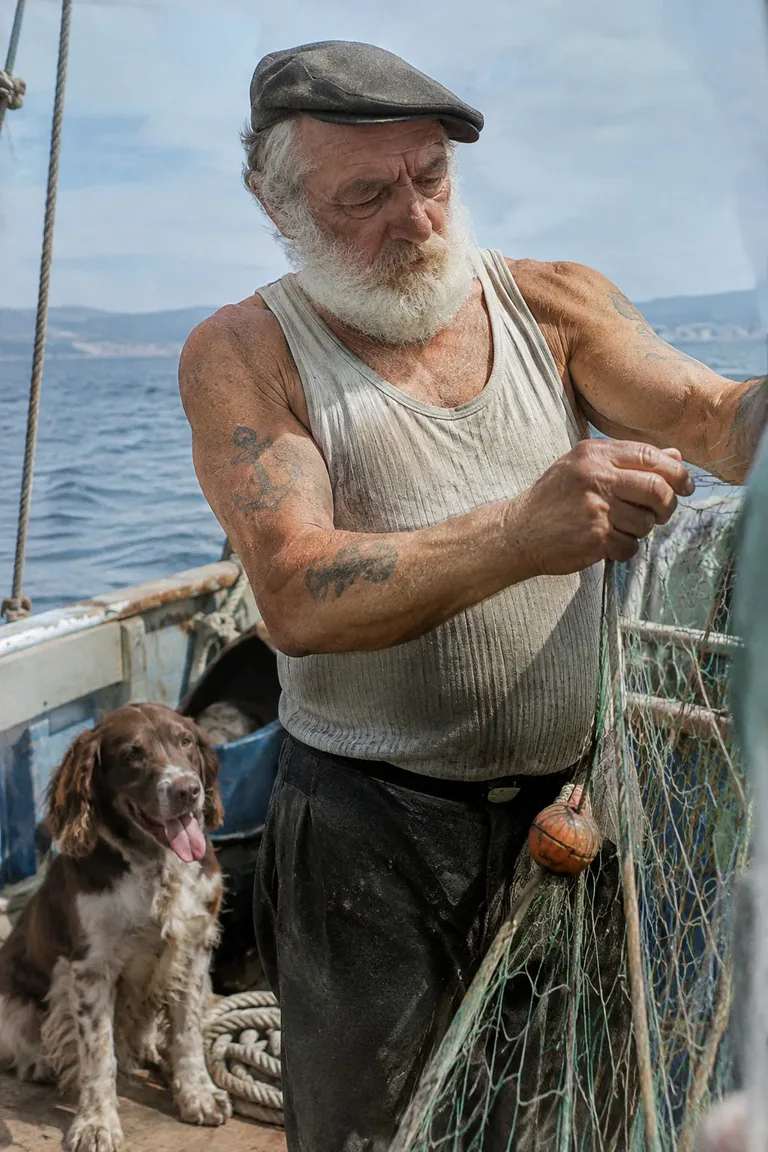
Photoreal portrait
Real skin, film grain and a dog on deck: a candid 35 mm look, not a polished render.
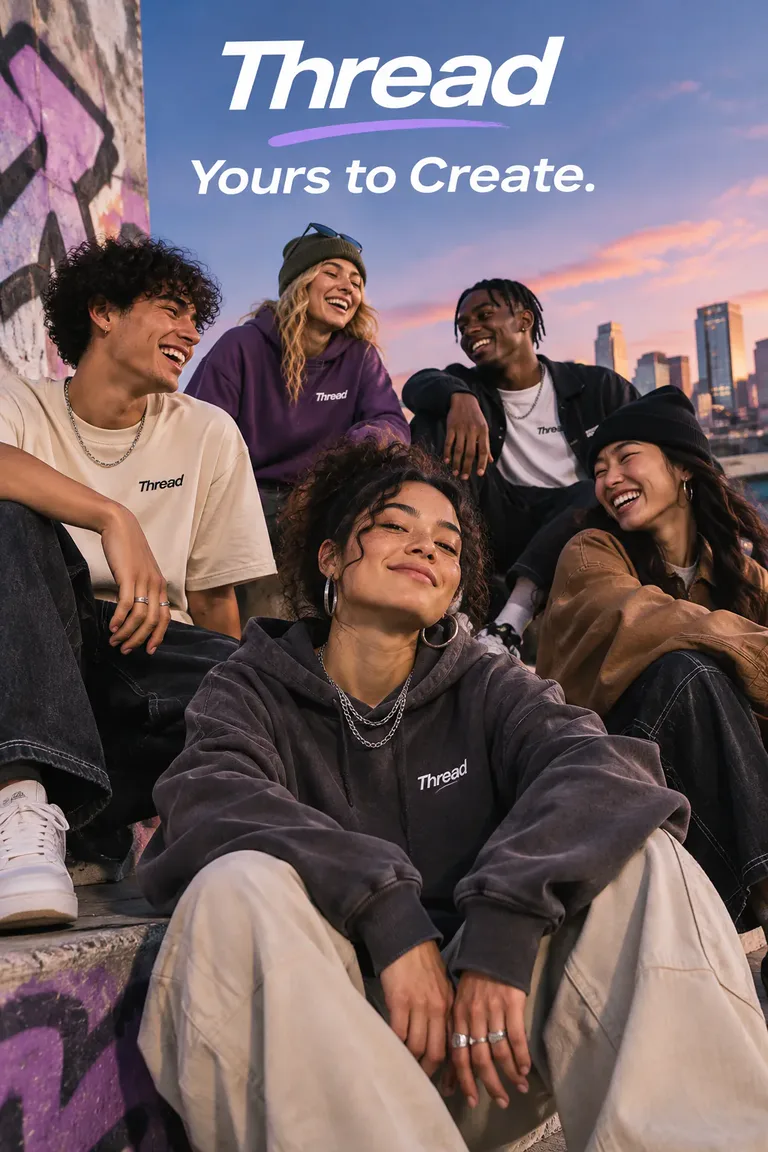
Ad with an exact tagline
A streetwear campaign shot with the tagline rendered once, exactly as written.
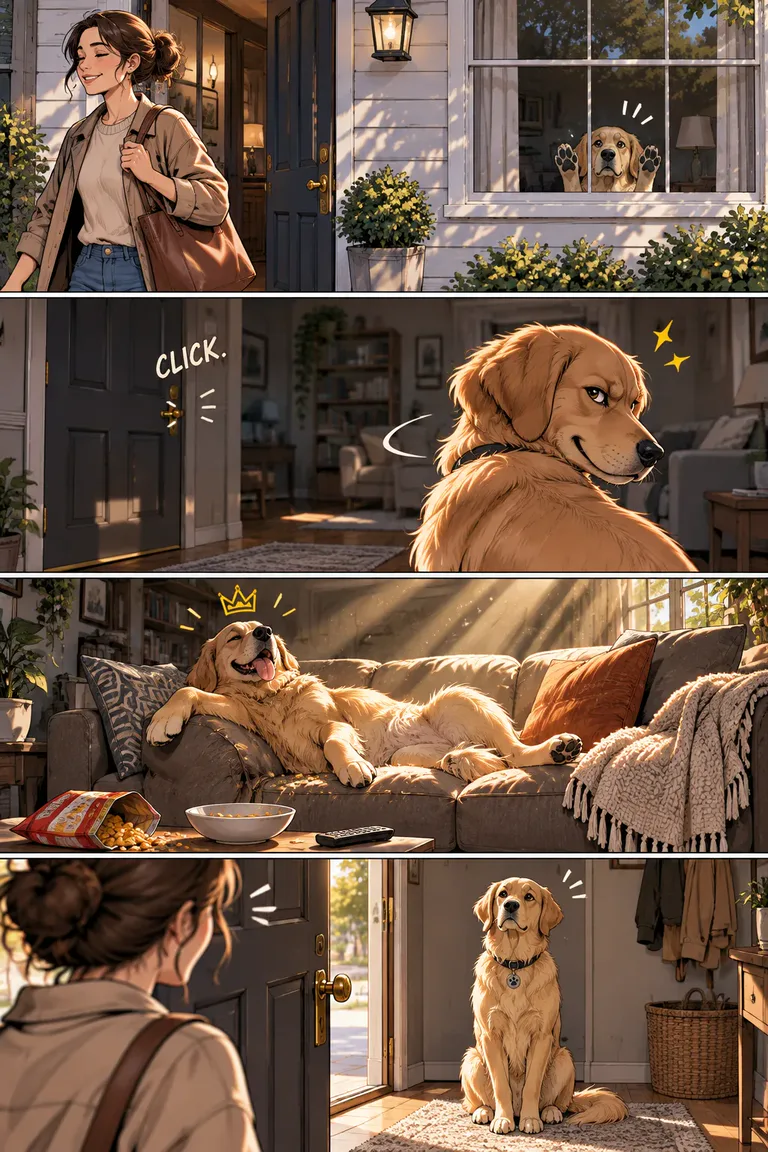
Four-panel comic
The same dog across four panels: the owner leaves, the house is his, then he plays innocent.
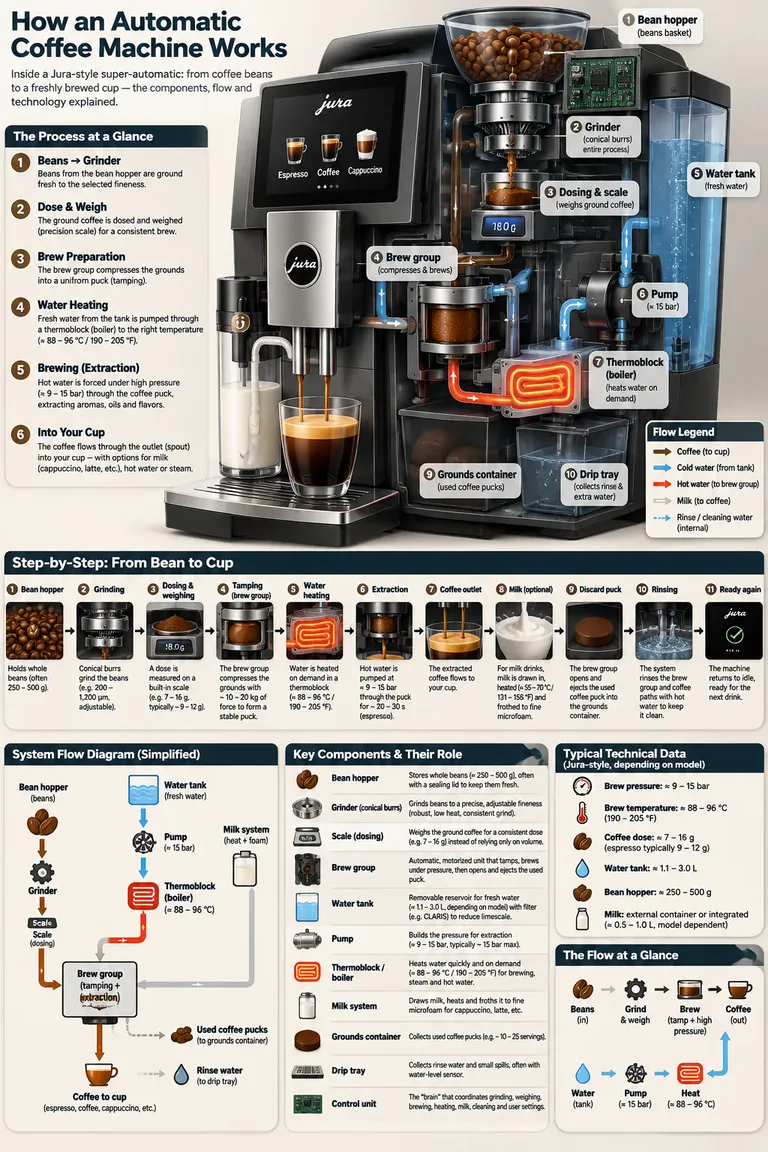
Technical infographic
How an espresso machine works, from bean hopper to cup, with every part labelled.
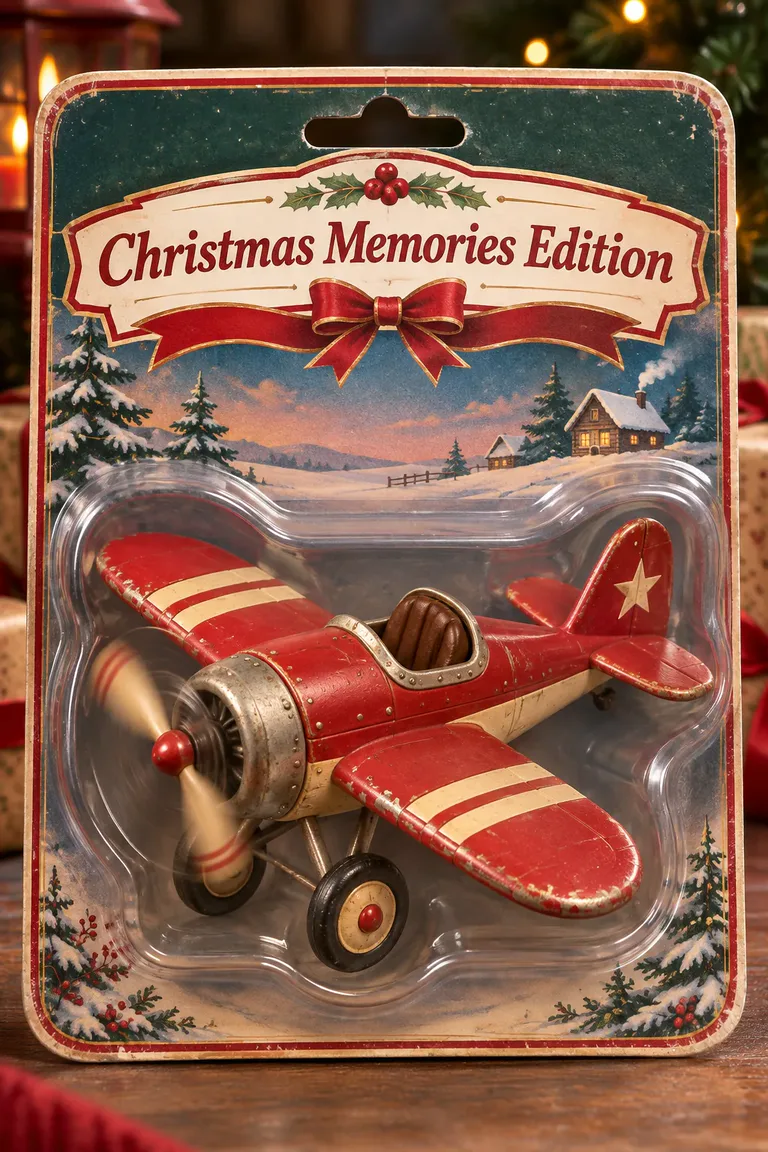
Product packaging
A vintage toy plane in blister packaging, with only the box text asked for.
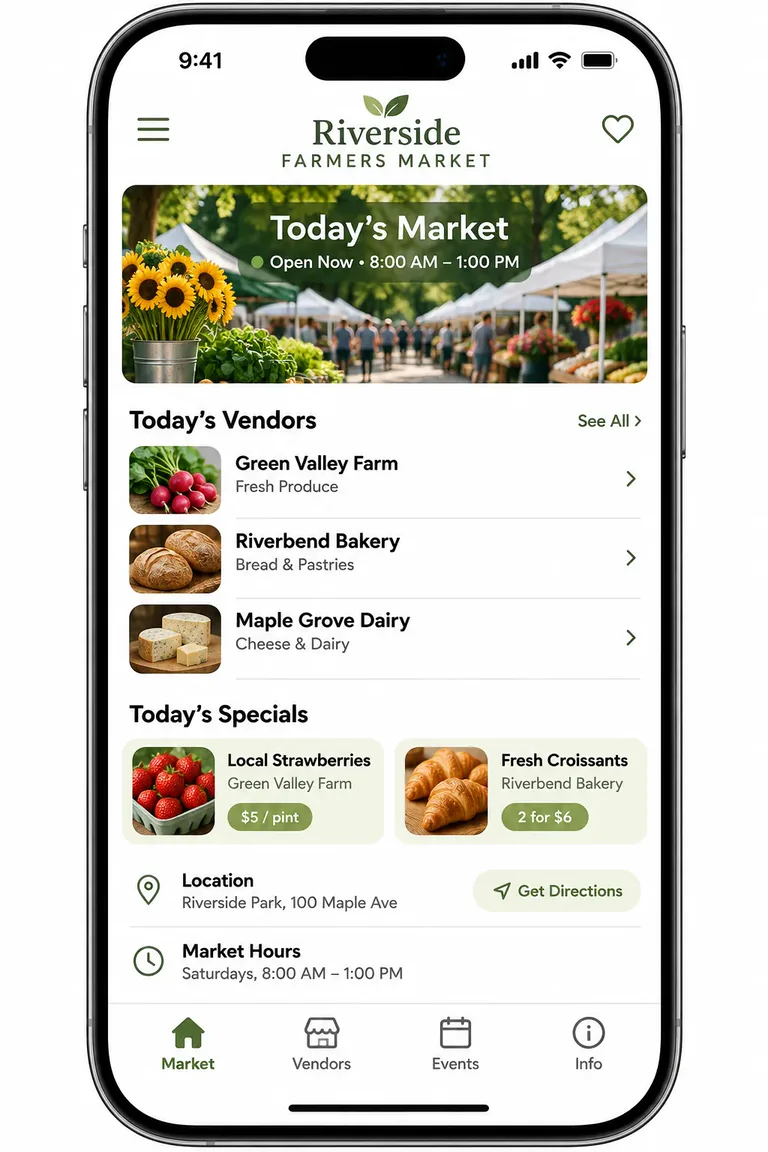
App UI mockup
A farmers market app in an iPhone frame: vendors, specials, hours, all readable.
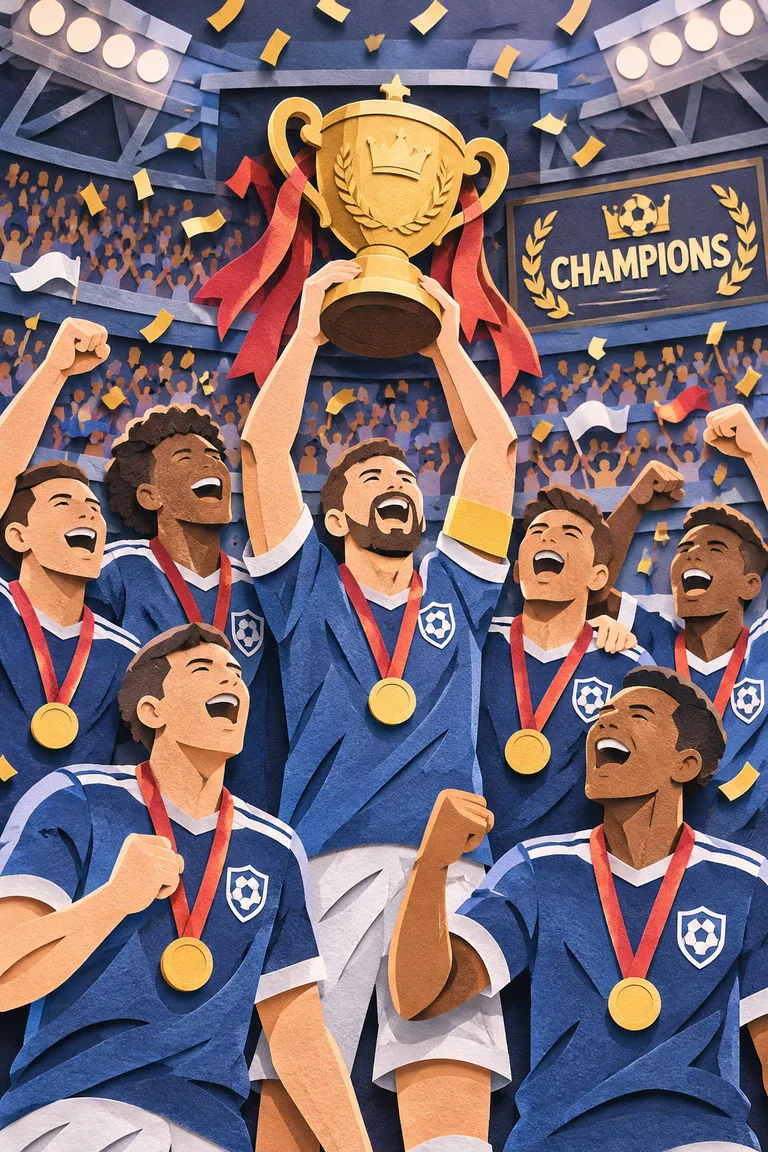
Paper-cut illustration
A one-line prompt turned into a layered paper-cut stadium scene.
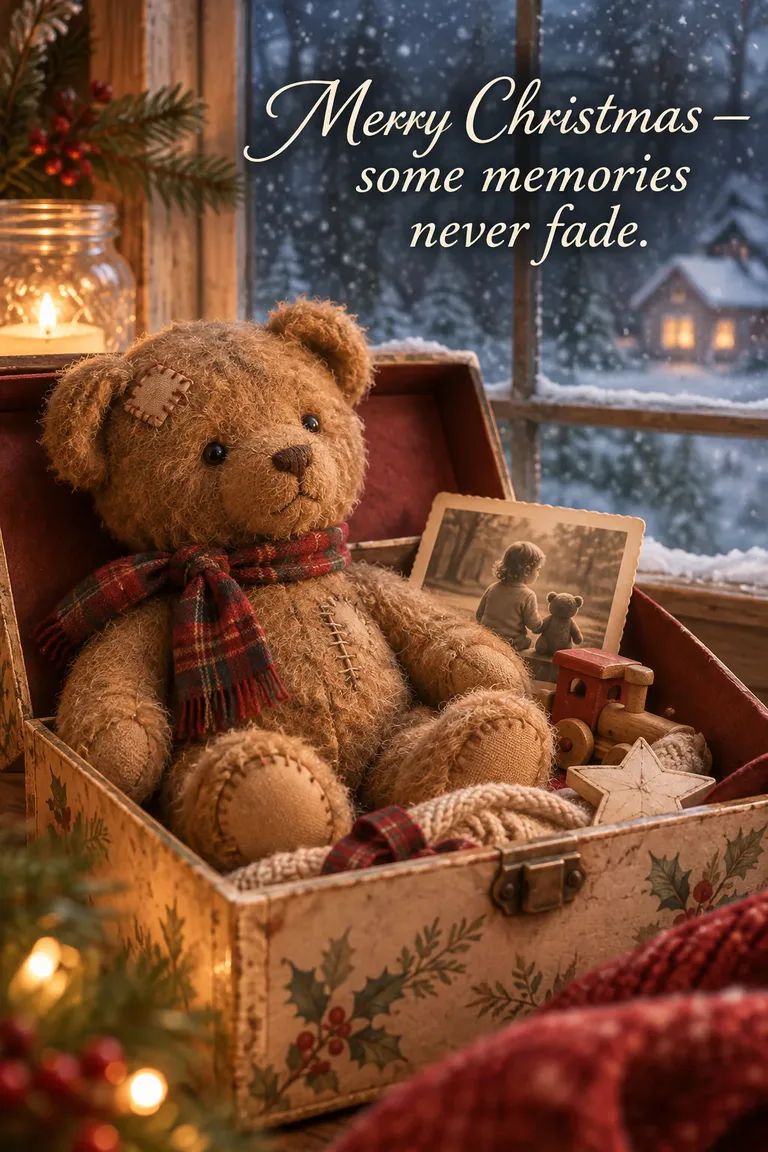
Holiday card
A worn teddy bear by a snowy window, with the card text spelled exactly.
Three edits in a row, the same character every time
Each picture is the one before it sent back to GPT Image 2.6 with a new instruction. The background changes, then changes again, then the armour is recoloured, while her face, hair, pose and sword hold. Add a picture in the box above and edit your own the same way.
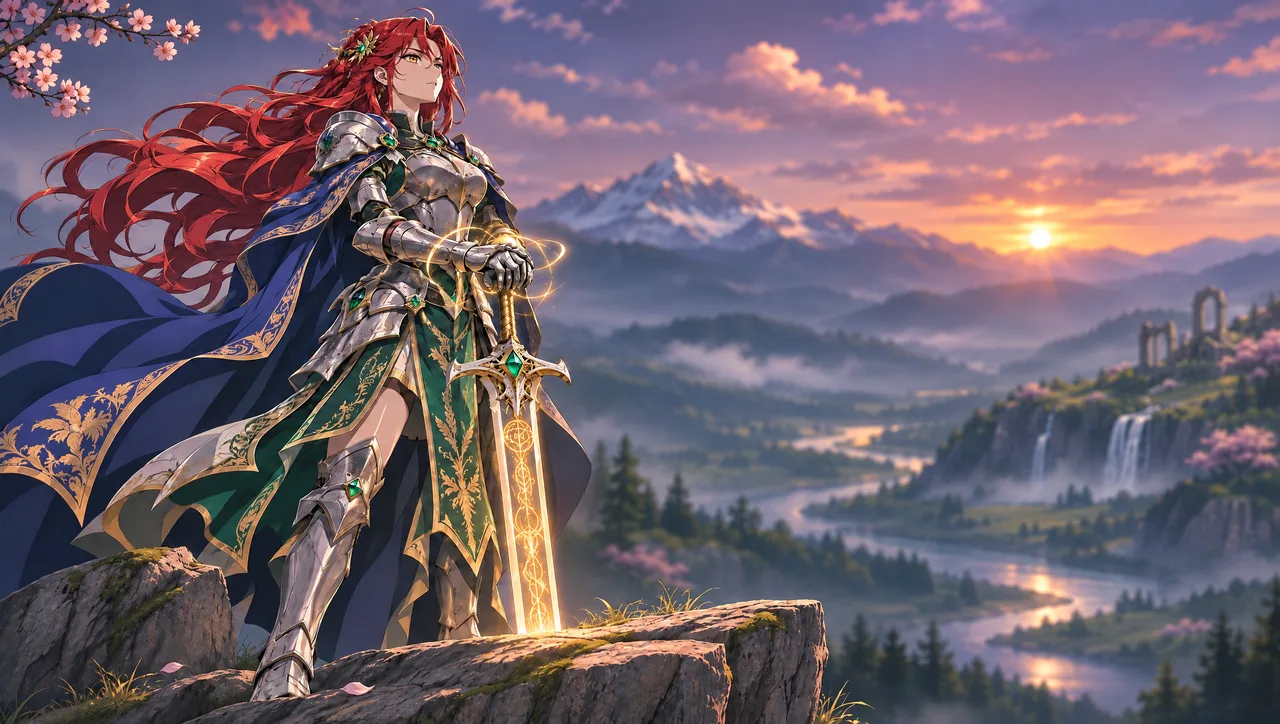
Edit 1
Replace the moonlit landscape with a golden sunset over a misty mountain valley, winding river, waterfalls and ancient ruins. Keep the background softly blurred and the knight, armor, sword, rock and composition unchanged.
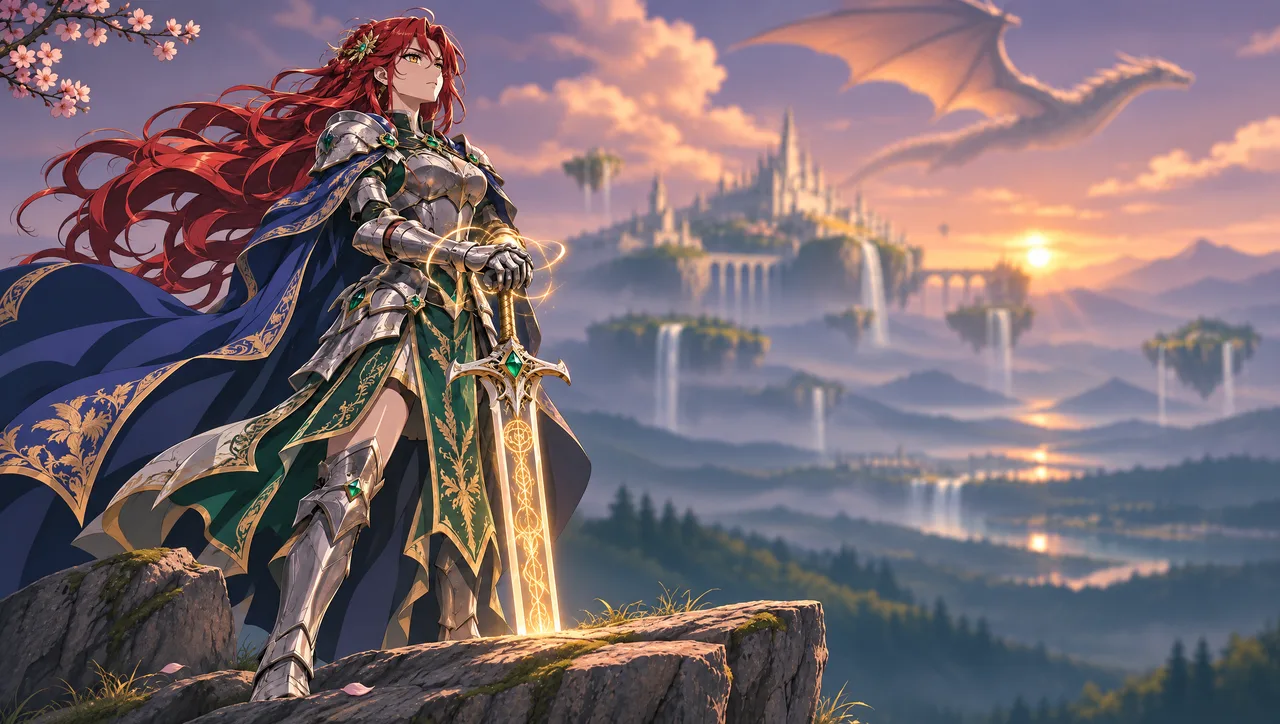
Edit 2
Replace the background with a majestic floating castle, smaller floating islands, cascading waterfalls and a dragon flying overhead. Preserve the warm sunset, atmospheric haze and shallow depth of field. Keep the knight and foreground unchanged.
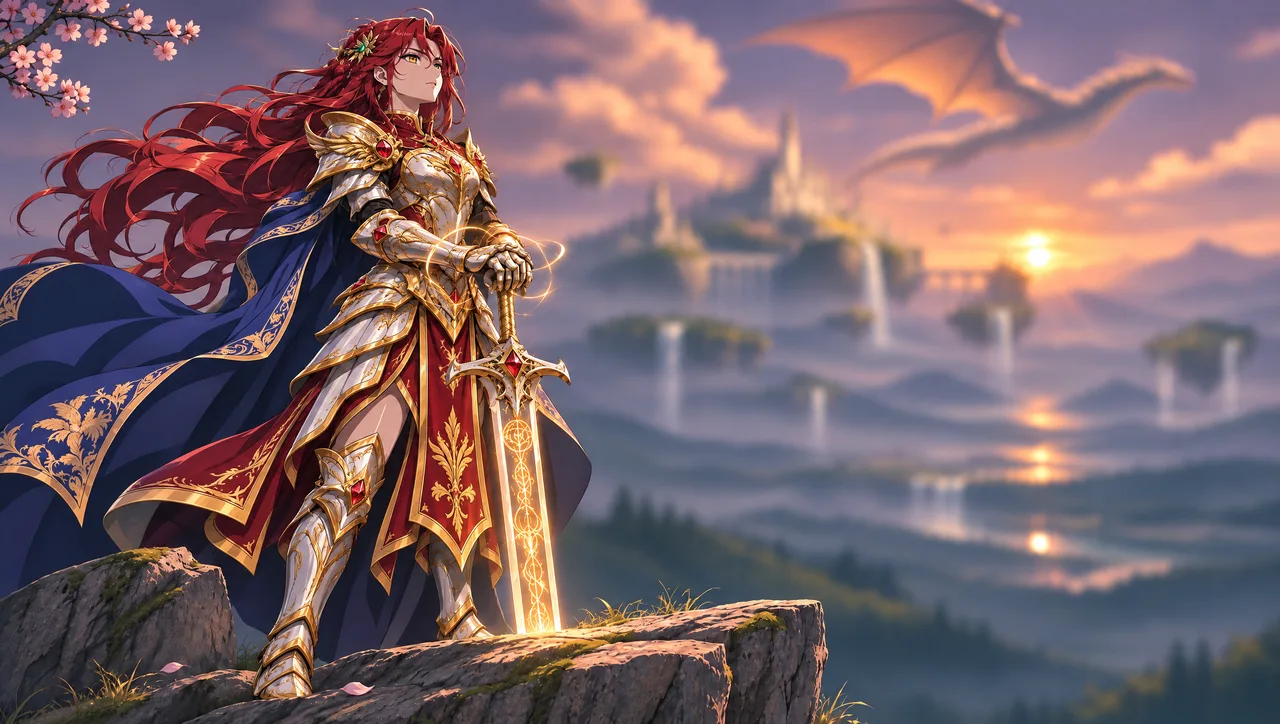
Edit 3
Recolor the armor to ivory white with rich gold trim, replace emerald gemstones with rubies, and change green fabric panels to deep crimson. Preserve the armor design, blue cape, red hair, golden sword glow, pose and background.
GPT Image 2.6 vs GPT Image 2.5: what changed
GPT Image 2.6 is an update, not a new family: the same kind of prompts and edits, faster, with a few new outputs. Both are in ToonBee AI.
| GPT Image 2.5 | GPT Image 2.6 | |
|---|---|---|
| Released | September 8, 2026 | November 4, 2026 |
| Speed | Flare about twice as fast as GPT Image 2 | About 50% faster again; Flare at low quality in as little as six seconds (OpenAI) |
| Animated GIFs | No | Yes, from a prompt or a photo |
| Editing | Changes only what you ask | Steadier over many rounds of edits; Sunburst holds characters and products most closely (OpenAI) |
| New in the API | — | Image markup, SVG export and a complexity setting |
| Price here, 1K high | 27 credits | 27 credits; a GIF from 23 |
Model features are from OpenAI’s announcement of November 4, 2026. ToonBee AI runs Flare at low, medium and high; Sunburst, markup and SVG export are not in the box.
In plain terms: 2.6 is quicker, keeps a character or a product steadier when you edit it again and again, and lays out posters and product pictures more cleanly, by OpenAI’s account. The headline addition is motion: a GIF from one prompt.
Per picture, 2.6 costs the same as 2.5 on fal, so the prices here are the same. GPT Image 2.5 stays in the image generator.
GPT Image 2.6 Flare vs Sunburst
Flare: fast, and the default
OpenAI’s model for most work, now with better layouts for posters and product pictures. At low quality it can return a picture in about six seconds. This is the one the box runs, for pictures and GIFs.
Sunburst: detail and consistency
For work that will be viewed large or edited many times: more fidelity on fine detail and the closest hold on a character or product across edits at medium or high quality, in exchange for a longer wait.
Flare is the one to start with. ToonBee AI does not offer Sunburst.
How to use GPT Image 2.6 online
- 1
Pick Picture or Animated GIF
A picture is one still image up to 4K. A GIF is a short loop of 6 to 12 frames.
- 2
Write the prompt, or add a photo
Describe the scene, or the one motion for a GIF. With a photo, describe the change, or how it should move.
- 3
Generate and download
The price is on the button before you start. In our tests a 1K picture took about 10 seconds and an 8-frame GIF about 15.
What people make with GPT Image 2.6
Reaction GIFs and memes
A character crying, cheering or face-palming, ready for chat and social posts.
Mascots and stickers that move
A brand mascot waving or bouncing, for a site, an app or a campaign.
Sketches brought to life
Add a hand-drawn doodle and get it moving, in the same lines and colours.
Posters, products and edits
Clean layouts, legible text and photo edits that leave the rest alone.
GPT Image 2.6 prompt tips
- Write in sentences, like a brief to a designer: subject, setting, framing, light, then style.
- Quote every word that should be in a picture, e.g. a sign reading ‘OPEN LATE’. Short text comes out most reliably.
- For an edit, change one thing per run and say what must stay: ‘Change nothing else.’
- For a GIF, one motion and a fixed camera beat a busy scene.
- Try ideas at medium, then run the keeper at high, or at 2K and 4K for pictures.
GPT Image 2.6 pricing and free credits
Everything is priced before you start. New accounts get 100 free credits: 3 GIFs of 8 frames, or 3 high-quality pictures at 1K, or more at medium. Editing or animating a photo costs the same as starting from a prompt.
GIFs
| Frames | Medium | High |
|---|---|---|
| 6 frames | 23 credits | 27 credits |
| 8 frames | 30 credits | 36 credits |
| 12 frames | 45 credits | 54 credits |
Pictures
| Size | Low | Medium | High |
|---|---|---|---|
| 1K | 3 credits | 7 credits | 27 credits |
| 2K | 4 credits | 8 credits | 28 credits |
| 4K | 6 credits | 13 credits | 51 credits |
More credits come in packs and plans; the smallest pack is 4,000 credits for $49, about 133 GIFs of 8 frames. Credits also work for videos and story videos.
Open the generatorGPT Image 2.6 FAQ
What is GPT Image 2.6?
GPT Image 2.6 is OpenAI’s image generation and editing model, released on November 4, 2026, and the one behind ChatGPT Images 2.6. In the API it comes as two models: Flare, the fast default, and Sunburst, slower and more detailed. It is about 50% faster than 2.5 and can make animated GIFs. ToonBee AI runs Flare through fal.
Is GPT Image 2.6 out, and can I use it here?
Yes. OpenAI released it on November 4, 2026, in ChatGPT, Codex and the API. The box on this page runs it in your browser: no API key and no code, just a free ToonBee AI account.
How do I make a GIF with GPT Image 2.6?
Choose Animated GIF in the box, describe one simple motion and add ‘seamless loop’, pick 6, 8 or 12 frames and a speed, and generate. You can also add a photo or a drawing and describe how it should move. An 8-frame GIF costs 30 credits at medium quality.
Why can’t I make GIFs in ChatGPT?
OpenAI says Images 2.6 is in ChatGPT on every plan, but some people report the GIF option not working in their account yet. The box here calls the API model directly, so GIFs work today, without a ChatGPT plan.
Is GPT Image 2.6 free?
Not unlimited, anywhere: every picture costs the model maker something. Here, new accounts get 100 free credits, enough for 3 GIFs or 3 high-quality pictures at 1K. After that a picture costs 3 to 51 credits and a GIF 23 to 54.
GPT Image 2.6 vs GPT Image 2.5: what is the difference?
GPT Image 2.6 is about 50% faster, holds a character or product steadier across edits, lays out posters and product pictures more cleanly, and adds animated GIFs; in the API it also adds image markup, SVG export and a complexity setting. On fal the two cost the same per picture.
GPT Image 2.6 Flare or Sunburst: which should I use?
Flare for almost everything: it is the default and the fast one. Sunburst is for very detailed pictures and long chains of edits, at the cost of a longer wait. The box here runs Flare.
Can GPT Image 2.6 edit or animate my photo?
Yes. Add a photo or a drawing in the box. As a picture, describe the change and the rest stays as it was; as a GIF, describe the motion and your image comes to life in its own style. The model takes up to 16 reference pictures, a mask or markup in the API; the box takes one image.
How long is a GPT Image 2.6 GIF?
6, 8 or 12 frames here, shown at about 5, 8 or 14 frames a second depending on the speed you pick: from under half a second to about two and a half seconds per loop. It loops forever, like any GIF.
What resolution does GPT Image 2.6 support?
Pictures go up to 3840 pixels on the long edge and about 8.3 million pixels in all, so 3840 × 2160 at 16:9; the box offers 1K, 2K and 4K in seven shapes. All the frames of a GIF share that budget, so a GIF frame here is about 800 pixels a side.
Why was my picture or GIF declined?
OpenAI’s safety system screens every prompt and photo, and sometimes declines harmless ones. A declined request costs no credits. Rewording the prompt plainly usually helps.
Is this ChatGPT or an OpenAI product?
No. ToonBee AI is an independent site that runs GPT Image 2.6 through fal’s API, next to video and story video tools. It is not affiliated with OpenAI, and you do not need a ChatGPT plan.
Try GPT Image 2.6 now
Make a GIF, draw a picture or edit a photo, and see the price before you generate.
Open the generatorHerramientas relacionadas
Otras páginas que abren el mismo estudio, preparado para otro tipo de video.