
Seedream 5.0 Pro AI Image Generator & Editor
Use Seedream 5, ByteDance’s newest image model, right in your browser. Describe an image, or upload a photo and say what to change, and Seedream 5.0 Pro draws it at 1K or 2K, with clean text in many languages.
- Seedream 5.0 Pro
- Text to image + photo edit
- 1K and 2K
- From 34 credits an image
- No watermark
A 2K image takes one to two minutes. Failed images are refunded.
ToonBee AI is an independent site, not affiliated with ByteDance. Seedream 5.0 Pro runs here through a licensed API provider.
Seedream 5.0 Pro examples
Images made with Seedream 5.0 Pro, each with a prompt you can run here. Pick one to load it into the generator above.
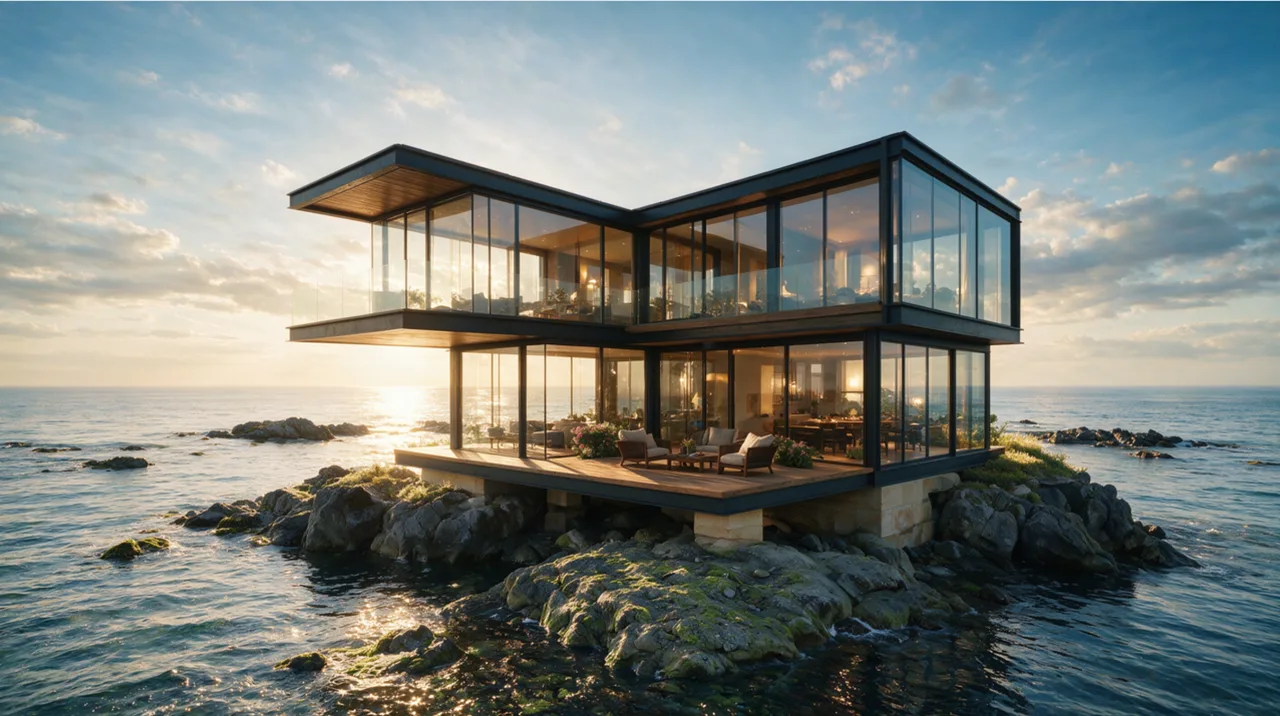
Architecture render
A glass villa on coastal rocks at sunset, with believable reflections on glass and water.
Wide realistic render, double-glass cliff villa on coastal rocks. Dark metal frames, wood terraces, stone base. Sunset gradient sky, layered sea reflections, multi-reflective glass, golden backlight. Low wide cinematic shot, muted realistic tones, rich material light layers.

Poster with long text
A holiday sale poster where every line of the event details stays readable.
Vertical Christmas promotional poster. Centered with a vintage parchment scroll filled with long text: headline "YOU'RE ON THE LIST!", event rules, discount timeline and notes. Hand-drawn doodles of gift boxes & candy canes interspersed among text, set against a snowy winter forest backdrop.
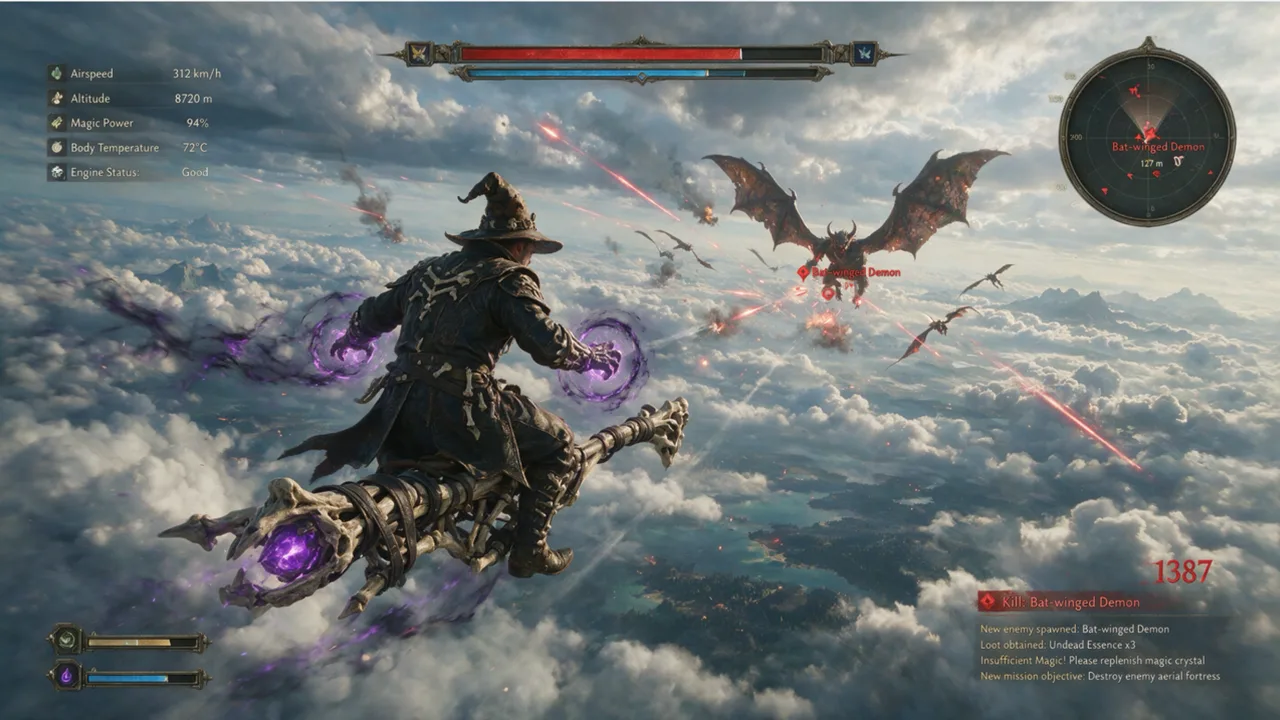
Game key art
A game-style aerial battle with a full combat interface drawn into the frame.
3A dark fantasy air gameplay, third-person rear view. Mage in vintage leather robe fights sky beasts on magic broom with purple spells. Hardcore combat UI, US realistic art, layered cloud light, intense fast air battles.
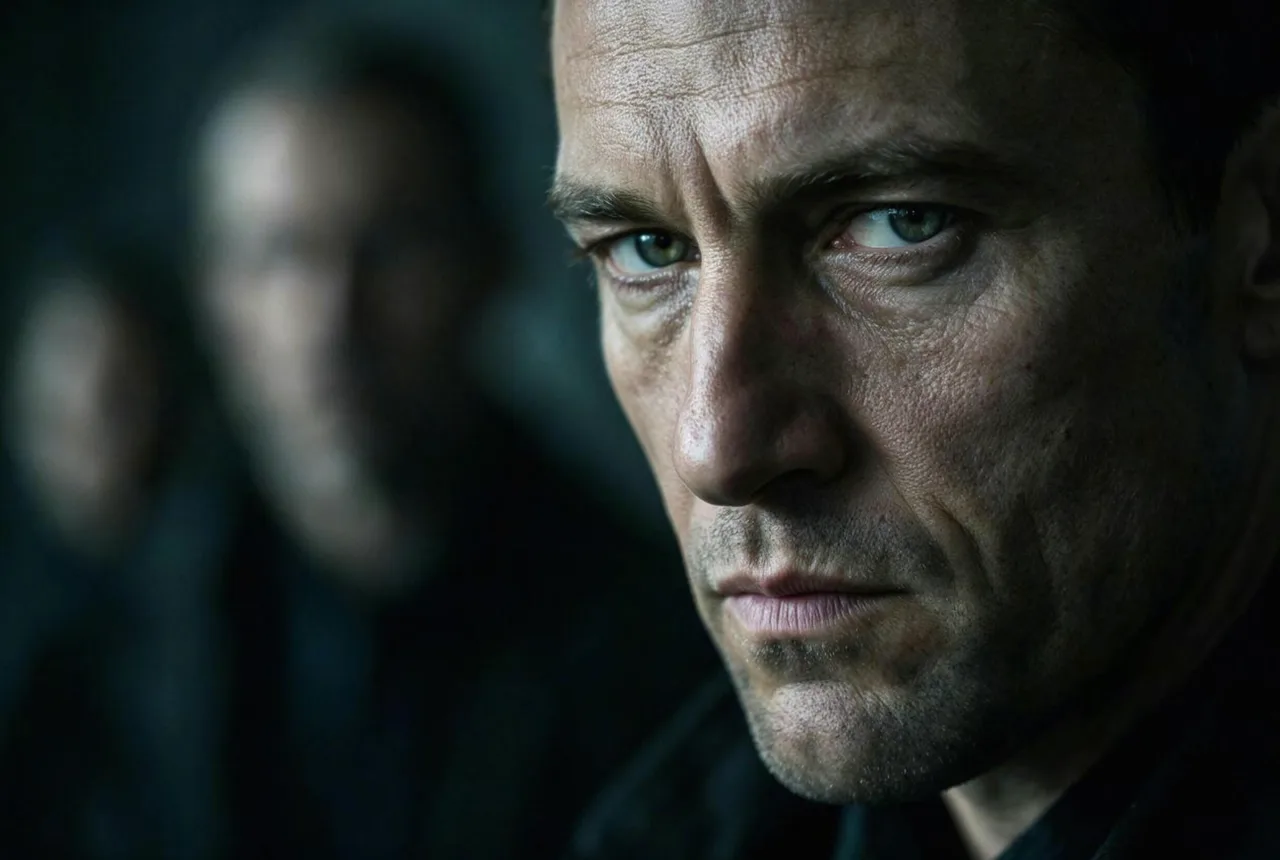
Realistic portrait
Cool side light, shallow depth of field and natural skin texture.
Cold suspense style, cool side light & shallow DOF, tense gloomy vibe. Calm alert man, blurred background hinting hidden standoff. Realistic skin, weathered matte facial grain.
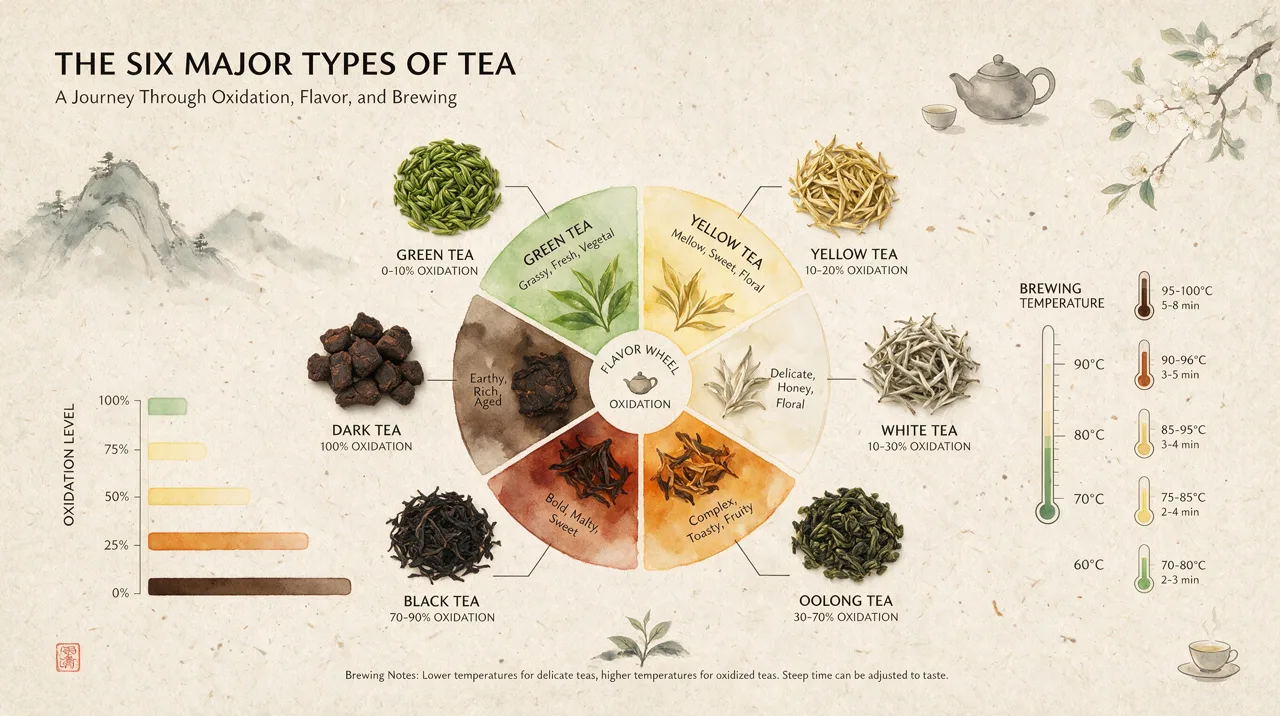
Infographic
Six tea types in one wheel, with labels, temperatures and a chart.
Infographic poster titled "THE SIX MAJOR TYPES OF TEA" with the subtitle "A Journey Through Oxidation, Flavor, and Brewing". A wheel in the center splits into green, yellow, white, oolong, black and dark tea, each with a photo of the dried leaves. An oxidation scale on the left and a brewing temperature for each tea on the right. Ink-wash mountains and a teapot in the corners, calm beige paper, zen layout.
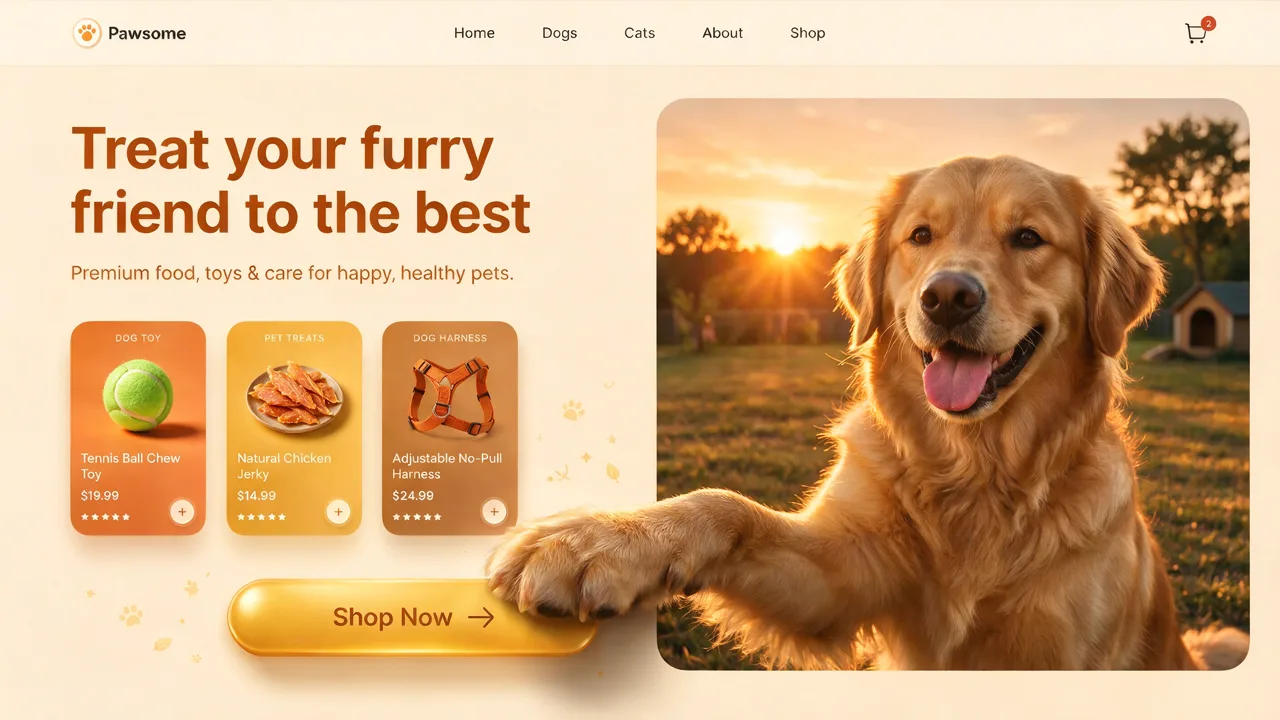
Website design
A shop homepage with a headline, product cards and a button, ready to show a client.
A 16:9 homepage design for a pet shop called "Pawsome". Headline "Treat your furry friend to the best", a short line under it, three product cards with prices and a "Shop Now" button. A golden retriever in warm sunset light on the right, one paw reaching across the frame onto the button.
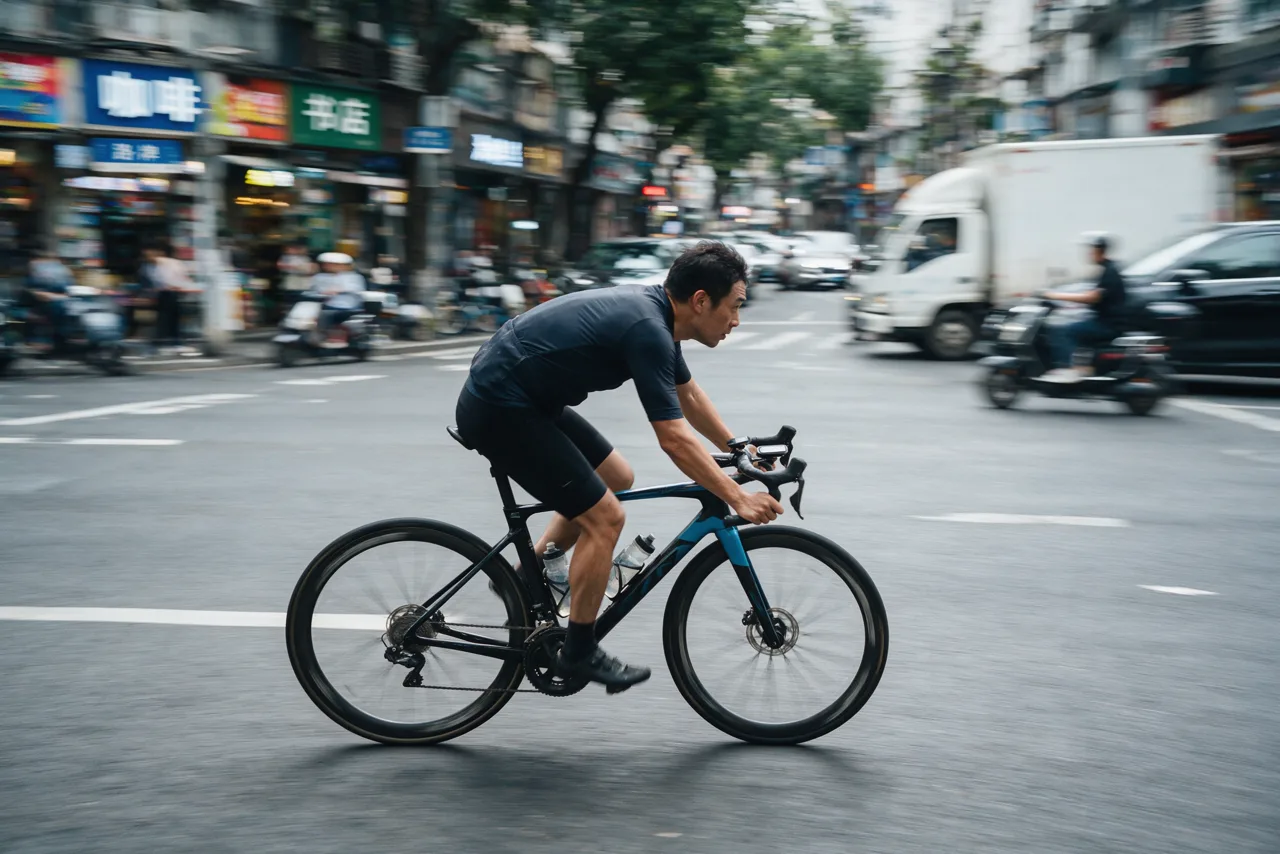
Street photo
A panning shot: the rider sharp, the street streaked with motion blur.
Panning street photo of a road cyclist riding through a busy city street. The rider and the bicycle are sharp, the shops and traffic behind streak with horizontal motion blur, the wheel spokes blur with rotation. Overcast daylight, documentary look.
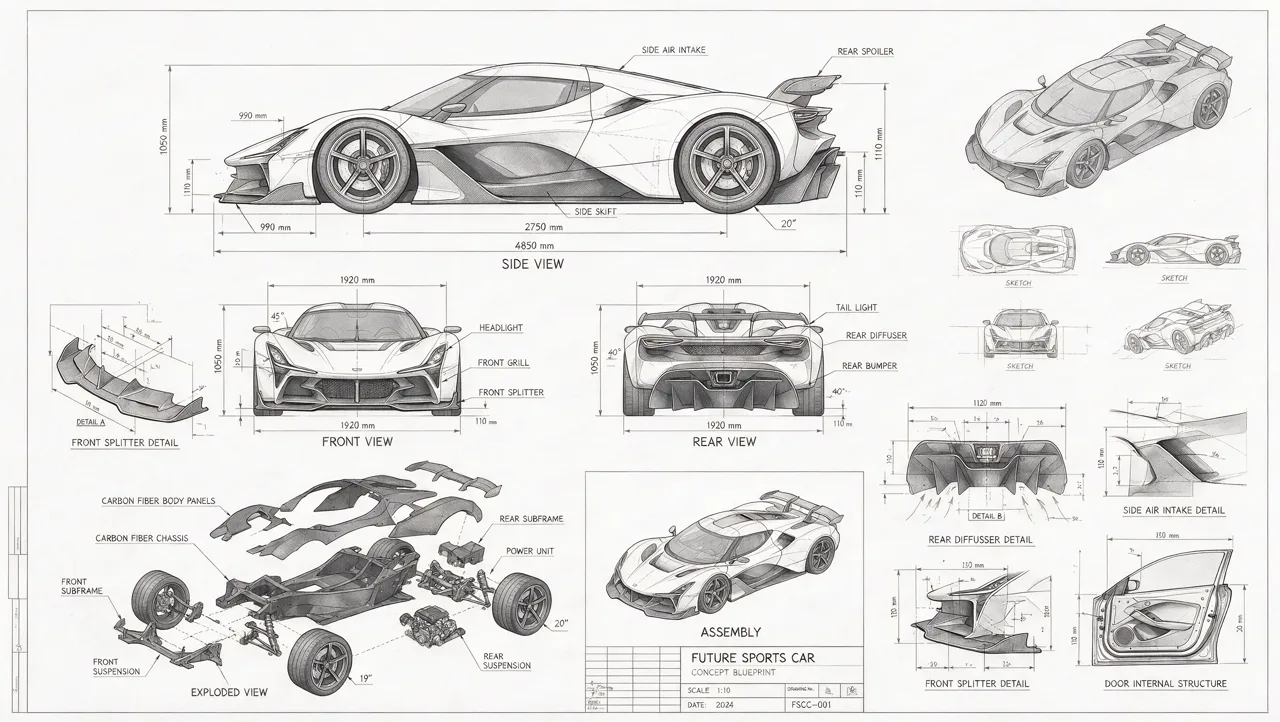
Technical drawing
A blueprint sheet with three views, an exploded view and dimension lines.
Technical blueprint sheet of a futuristic sports car on light grey paper: front, side and rear views, an exploded view of the parts, assembly diagrams and dimension lines with callouts, fine pencil linework, a title block in the corner.
What is Seedream 5?
Seedream 5.0 is the fifth generation of Seedream, the image model made by ByteDance’s Seed team, the company behind TikTok and CapCut. It turns a text prompt, or a prompt plus reference images, into a finished picture.
There are three versions. Seedream 5.0 Lite came first, in early 2026. Seedream 5.0 Pro, the flagship, launched on July 8, 2026, and is the one most people now search for. Seedream 5.0 Flash, a faster and cheaper tier, followed in September 2026.
What sets Seedream 5.0 Pro apart is how it handles design work: posters, infographics, menus and web pages where a lot of text has to sit in the right place and stay legible. ByteDance also reworked how it renders light, materials and skin, so photographic images look less like AI images.
What Seedream 5.0 Pro is good at
From ByteDance’s own launch notes, and what you can use on this page.
Text in many languages
Headlines, labels and whole paragraphs come out clean and readable, in English, Chinese and more than ten other languages, including Spanish, French, German, Japanese, Korean, Russian and Arabic.
Dense layouts
Infographics, posters, menus, UI mockups and data charts with many parts, laid out the way the prompt says.
Photo editing
Upload a photo and say what to change: swap a color or material, add or remove an object, change the background. The rest of the picture stays as it was.
Realistic light and texture
Sunlight through windows, reflections in glass and water, fabric and skin texture that hold up when you look closely.
Follows long prompts
It reasons through a long, detailed prompt before drawing, so it keeps track of several subjects, their positions and the text for each.
1K or 2K, any shape
Square, portrait, landscape, 16:9 or 9:16, at about 1 megapixel or about 4 megapixels.
Seedream 5.0 Pro vs Lite vs Flash
The three versions share a name but not a price. This page runs Pro.
| Seedream 5.0 Pro | Seedream 5.0 Lite | Seedream 5.0 Flash | |
|---|---|---|---|
| Released | July 2026 | Early 2026 | September 2026 |
| Best for | Design work, long text, editing | Everyday images | Fast drafts, large batches |
| API list price per image (fal) | $0.0675 to 1.5K, $0.135 to 2K | $0.035 | $0.027 |
| On this page | Yes | No | No |
API prices as fal listed them on October 25, 2026. On this page you pay in credits, shown below.
Seedream 5 vs Nano Banana Pro vs GPT Image 2
The leading image models side by side, at the API list price per image. The range covers the sizes and quality levels each model is sold at.
| Model | Made by | Largest size | API list price per image |
|---|---|---|---|
| Nano Banana 2 | 4K | $0.08-$0.16 | |
| Nano Banana Pro | 4K | $0.15-$0.3 | |
| GPT Image 2.5 | OpenAI | 4K | $0.00588-$0.10008 |
| GPT Image 2 | OpenAI | 4K | $0.006-$0.401 |
| Seedream 5.0 Pro | ByteDance | 2K | $0.0675-$0.135 |
Prices as fal listed them. Seedream 5.0 Pro is the one to pick for text-heavy designs and edits; Nano Banana and GPT Image 2 go up to 4K.
What is Seedream 5.0 used for?
Posters and ads
Event posters, sale banners and social posts with the headline and the small print in one image.
Infographics and slides
Explainers, timelines and charts for a class, a report or a carousel post.
Product and web mockups
Packaging, product shots and page designs to show an idea before anyone builds it.
Photo edits
Recolor a room, swap a background or tidy up a product photo, without masking by hand.
Concept art and storyboards
Characters, scenes and key frames, which you can turn into a video clip with Make it move.
Realistic scenes
Portraits, architecture and street photos for mood boards and pitches.
How to use Seedream 5.0 Pro online
- 1
Write a prompt
Describe the subject, the layout and the style. Put exact words in quotes.
- 2
Add a photo to edit it (optional)
Upload one image and say what to change and what to keep.
- 3
Pick the shape and size
1K is 34 credits, 2K is 68. The price is on the button before you start.
- 4
Download or animate
Save the image, make another, or send it to the video generator as the first frame.
Seedream 5 prompt guide
Five habits that get better results from Seedream 5.0 Pro.
- Quote the text you want on the image, word for word: a poster that says "OPEN LATE FRIDAYS". Keep each line short.
- Say where things go: title at the top, three columns below, a photo on the right, a button in the lower corner.
- Name the medium and the light: watercolor, blueprint, 35 mm film, studio softbox, golden hour, neon.
- For an edit, say what to change and what must stay the same: change the jacket to red leather, keep her face and the background.
- Write in full sentences. Seedream 5.0 Pro reads long prompts well, so a precise paragraph beats a string of tags.
Is Seedream 5 free?
You can try Seedream 5 for free: a new account gets 100 credits, enough for 2 Seedream 5.0 Pro images at 1K. No card is needed to sign up.
After that, an image is 34 credits at 1K or 68 at 2K, the same for text to image and for edits. Credit packs start at 49 for 4,000 credits, about 117 images at 1K, and there are monthly plans.
Images that fail are refunded automatically, and no watermark is added.
What to know first
- This page runs Seedream 5.0 Pro only, not Lite or Flash.
- The largest size here is 2K (about 4 megapixels, for example 2560x1440). Some other services offer Seedream 5 at up to 4K.
- An edit takes one photo. Combining several reference images is not available here yet.
- Layer splitting, and point or lasso selection, which ByteDance showed at launch, are not on this page. Describe the area to change in words instead.
- A safety filter is on. Prompts and images that break the content rules are refused, so there is no unrestricted or uncensored mode.
- There is no unlimited plan: every image is paid for in credits.
- ToonBee AI does not sell API access. For the Seedream 5 API, see BytePlus ModelArk or an API reseller.
Seedream 5 FAQ
What is Seedream 5?
Seedream 5.0 is ByteDance’s image generation model, in three versions: Lite (early 2026), Pro (July 2026) and Flash (September 2026). It makes images from text and edits images from text plus reference pictures. Pro is the most capable of the three.
How can I use Seedream 5.0 for free?
Sign up on ToonBee AI and you get 100 free credits, enough for 2 Seedream 5.0 Pro images at 1K. Write a prompt in the box at the top of this page and press Generate.
How much does Seedream 5.0 Pro cost?
On ToonBee AI, 34 credits per image at 1K and 68 at 2K. Through the API, fal listed it at $0.0675 an image up to 1536x1536 and $0.135 up to 2048x2048 in October 2026.
Is Seedream 5 Pro good?
For design work it is one of the strongest image models: headlines and long blocks of text come out readable, and posters, infographics and UI mockups come out with a clear layout. ByteDance itself says fine text and pixel-level edit consistency still have room to improve, and the odd small word can come out misspelled, so check small print before you publish.
What is the difference between Seedream 5.0 Pro and Lite?
Pro is the flagship: better text, layout and realism, and stronger editing, at about twice the API price of Lite. Lite is the cheaper choice for everyday images. This page runs Pro.
Can Seedream 5 edit images?
Yes. Upload a photo in the box above, then say what to change, such as a color, a material, an object or the background. The edit costs the same as a new image.
Is Seedream 5 better than Nano Banana Pro or GPT Image 2?
It depends on the job. Seedream 5.0 Pro is the one to try first for text-heavy designs such as posters, infographics and menus, and for edits that must leave the rest of the photo alone. Nano Banana Pro and GPT Image 2 go up to 4K, and GPT Image 2 has cheaper low-quality tiers for quick drafts.
Does Seedream 5 support 4K?
Not on ToonBee AI: the largest size here is 2K, about 4 megapixels, which is enough for most screens and social posts. Some other services offer Seedream 5 at up to 4K.
Is there a Seedream 5 API?
Yes, ByteDance sells it through BytePlus ModelArk, and API resellers such as fal offer it too. ToonBee AI does not offer API access; this page is for making images in the browser.
Is Seedream 5 censored?
Yes. Like every image model on ToonBee AI, it runs with a safety filter, and prompts or images that break the content rules are refused. Refused images are not charged.
Is ToonBee AI the official Seedream website?
No. Seedream is made by ByteDance, and its official home is seed.bytedance.com. ToonBee AI is an independent site that runs Seedream 5.0 Pro through a licensed API provider, next to other image and video models.
Make your first Seedream 5 image
Type a prompt or upload a photo. The price shows before you start.
Start with Seedream 5Herramientas relacionadas
Otras páginas que abren el mismo estudio, preparado para otro tipo de video.
- Fondos de pantalla de HalloweenFondos de pantalla de Halloween gratis, o crea el tuyo.
- Modelos de IATodos los modelos de video e imagen, con duración y precio.
- Generador de videos Dola AIVideos con Seedance estilo Dola, en línea y sin marca de agua.
- Generador de videos Kling AIClips con Kling 3.0 de hasta 15 segundos, en 1080p y con sonido.
- Generador de videos Wan AIVideos con Wan 3.0 de hasta 30 segundos, en 1080p y con sonido.