Image to GIF AI: Animate One Photo into a Looping GIF
Upload a photo, a pet picture, a product shot or a drawing, say how it should move, and get back an animated GIF that still looks like your picture: a smile, a blink, a wagging tail, steam rising from a cup. Every frame is drawn by GPT Image 2.6, OpenAI’s image model with GIF output.
One GIF per run. GIFs stay private in your account, with no watermark. A GIF the model declines costs nothing.
ToonBee AI runs GPT Image 2.6 through fal’s API and is not affiliated with OpenAI. Upload only pictures you have the right to use.
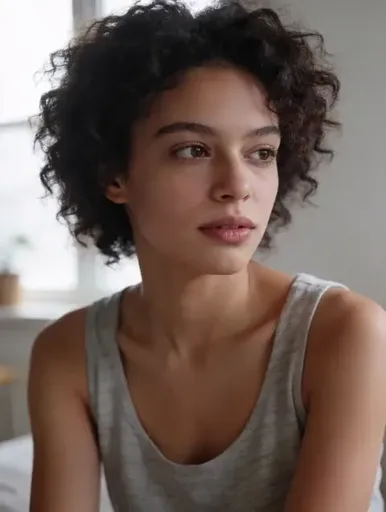
Image to GIF AI examples: one picture in, one GIF out
The picture on the left is the only thing that was uploaded. The motion comes from one sentence, and what was not asked to move stays as it was. Use any of these motions on your own picture.
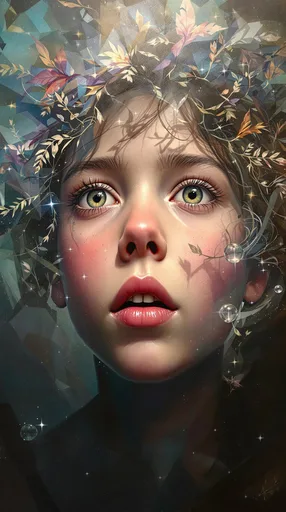
Picture GIF Portrait to laugh
A painted portrait breaks into a laugh and a hand comes up to her hair. The flowers and the dark backdrop stay put.
Picture GIF Photo to smile
A photo of a woman looking away turns to the camera and smiles: the classic way to animate a profile photo.
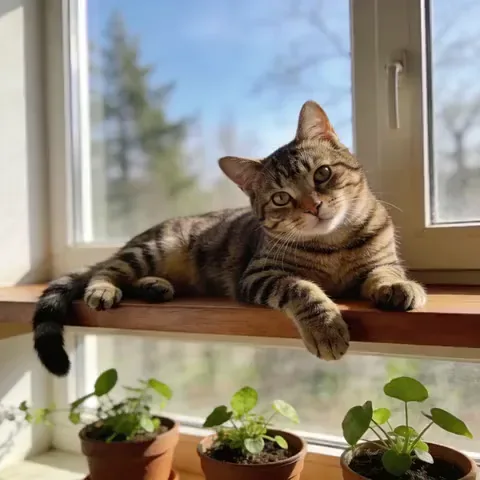
Picture GIF Pet photo to GIF
A cat on a sunny windowsill blinks and breathes. Its stripes and the plants below stay exactly where they were.
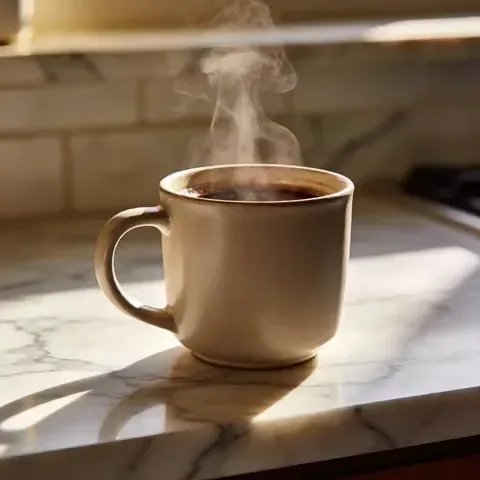
Picture GIF Product photo to GIF
Only the steam and the light move, so a still product shot becomes a quiet loop for a page or an ad.
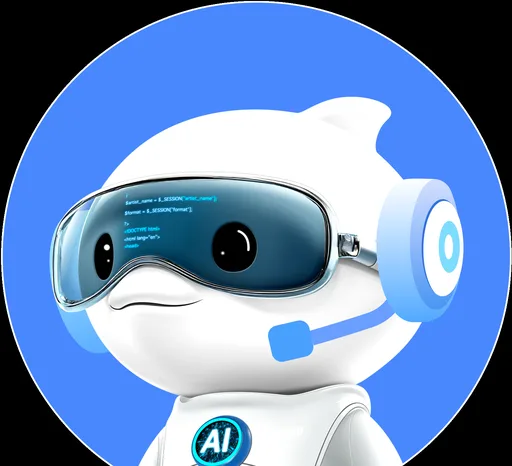
Picture GIF Mascot to GIF
A 3D robot mascot nods and its visor flickers, in the same render style as the picture it came from.
What kind of picture can you turn into a GIF?
Any single still picture works. These are the ones people animate most, and what moves well in each.
Portraits and selfies
A smile, a blink, a slow turn toward the camera, hair in the wind. Small, natural moves keep the face looking like the person.
Pets
A head tilt, twitching ears, a wagging tail, a slow blink. In our tests a dog and a cat kept their markings in every frame.
Products
Steam from a cup, a glint of light, a slight sway. Say ‘everything else stays still’ so the product itself does not change.
Drawings and mascots
A logo mascot that waves, a character that nods, a sketch that comes to life. The GIF keeps your drawing’s style.
Old and painted portraits
Paintings, illustrations and old photos can smile or blink too. Describe a gentle move so the style holds.
Photo to cartoon or anime GIF
Pick Cartoon, Anime or Chibi 3D in the box and the same photo comes back redrawn in that style, already moving.
How to turn an image into a GIF with AI
- 1
Upload one picture
A clear photo, pet picture, product shot or drawing, up to 10 MB. The GIF keeps its shape, from 9:16 to 16:9.
- 2
Say what moves
Pick a motion above the box or write your own: what moves, and what must stay the same. Choose frames and speed.
- 3
Generate and download
The price is on the button. In a minute or two the GIF plays in the box, ready to download as a .gif.
What people make from a single image
Animated profile pictures
Your photo, blinking or smiling, as a GIF avatar for a forum, a chat app or a Discord profile (Discord needs Nitro for animated avatars).
Pet GIFs
A favourite photo of your dog or cat, turned into a loop you can send in any chat.
Product and shop loops
A still product photo with a little motion, for a store page, an email or a social post.
Reactions from your own photos
Your own face laughing or nodding, as a reaction GIF nobody else has.
Tips to keep the GIF looking like your picture
- Ask for small moves: a smile, a blink, a head tilt. A big gesture such as a full wave may only show up in a few of the frames.
- Say what must not change: ‘keep the face, clothes and background exactly as in the photo’.
- Add ‘static camera, seamless loop’ so the frame does not drift and the last frame flows into the first.
- Use a clear, well-lit picture with one main subject; group photos and busy scenes move less cleanly.
- Choose 12 frames for smoother motion, or 4 to 6 for a quick, snappy loop.
- Use high quality for faces; medium is fine for drawings and products.
Image to GIF AI pricing and free credits
A GIF is priced by its frames and quality, not by your picture, and the price is on the button before you start. New accounts get 100 free credits: 2 GIFs of 8 frames at high quality, or more with fewer frames.
| Frames | Medium | High |
|---|---|---|
| 4 | 15 credits | 18 credits |
| 6 | 23 credits | 27 credits |
| 8 | 30 credits | 36 credits |
| 12 | 45 credits | 54 credits |
After that, the smallest credit pack is 4,000 credits for $49, about 111 GIFs of 8 frames at high quality. The same credits work for pictures, videos and story videos.
AI image to GIF vs a photo-to-GIF converter
Searching for “photo to GIF” mostly finds converters such as ezgif or Giphy, which stitch several photos you already have into a slideshow. AI image to GIF works the other way: one picture, and the model draws the motion.
| Photo-to-GIF converter | Image to GIF AI | |
|---|---|---|
| You upload | Several photos or a video | One photo, pet picture, product shot or drawing |
| What moves | It flips from one photo to the next | Things inside the picture: a smile, a tail, steam |
| Good for | Slideshows and clips you already filmed | Bringing a single still picture to life |
| Cost | Usually free | Credits per GIF, shown before you start |
This page does not stitch several photos into one GIF or convert a video. For those, a regular converter is the right tool.
Image to GIF AI FAQ
Can AI turn an image into a GIF?
Yes. Upload one picture and describe the motion, and GPT Image 2.6 draws each frame of a new animated GIF from it. The result is a real looping .gif, not a video file.
Is this image to GIF AI free?
You can start free: new accounts get 100 credits, enough for 2 GIFs of 8 frames at high quality, with no watermark. After that a GIF costs 15 to 54 credits.
Will the GIF still look like the person in my photo?
In our tests GPT Image 2.6 kept faces, hair and clothes recognizable in every frame. It holds best with small moves and ‘keep the face the same’ in the prompt; a large gesture can appear in only a few frames.
Can I animate a photo of my dog or cat?
Yes. Pets are one of the easiest subjects: a head tilt, ears, a tail or a blink. Fur color and markings stay the same if you ask for them to.
Can I make one GIF out of several photos?
No. This tool animates one picture at a time. To flip through several photos as a slideshow GIF, use a converter such as ezgif.
Can I turn my photo into a cartoon or anime GIF?
Yes. Pick Cartoon, Anime or Chibi 3D in the box and the photo is redrawn in that style while it moves. The anime and cartoon GIF makers have more styles and ideas.
What pictures can I upload?
One JPG, PNG, WebP or HEIC image up to 10 MB: a photo, a drawing, a mascot, a product shot or a screenshot. The GIF keeps the picture’s shape, from 9:16 to 16:9.
How long and how big is the GIF?
4 to 12 frames shown for 80, 120 or 200 ms each, so one loop is about 0.3 to 2.4 seconds, at about 816 × 816 pixels for a square picture.
Is my picture private?
Your upload and your GIF stay in your account and are not shown in a public gallery. Upload only pictures you have the right to use.
Why was my picture declined?
OpenAI’s safety system checks every picture and prompt and sometimes declines harmless ones. A declined GIF costs no credits; a plainer prompt or another photo usually works.
Turn your picture into a GIF
Upload one image, say how it moves, and see the price before you generate.
Upload a pictureOutils associés
D’autres pages qui ouvrent le même studio, préparé pour un autre type de vidéo.