
AI Sprite Sheet Generator for Animated Game Characters
Describe a character, or upload a picture of yours, choose an action and a look, and get every frame drawn for you: a transparent PNG sprite sheet ready for your engine, and a looping GIF of the same frames to check the motion. Walk, run, attack, idle and more, in pixel art or cartoon style.
One action per run. For four walking directions, run the same character once per direction.
Frames are drawn by GPT Image 2.6 (OpenAI) through fal’s API. ToonBee AI is not affiliated with OpenAI.
Sprite sheet examples
Walk cycles, runs, attacks and idles in pixel art and cartoon styles: sprite sheets of equal cells, and the loops they play in a game.
Pixel knight run
A 16-bit run cycle with sword and shield, side view.
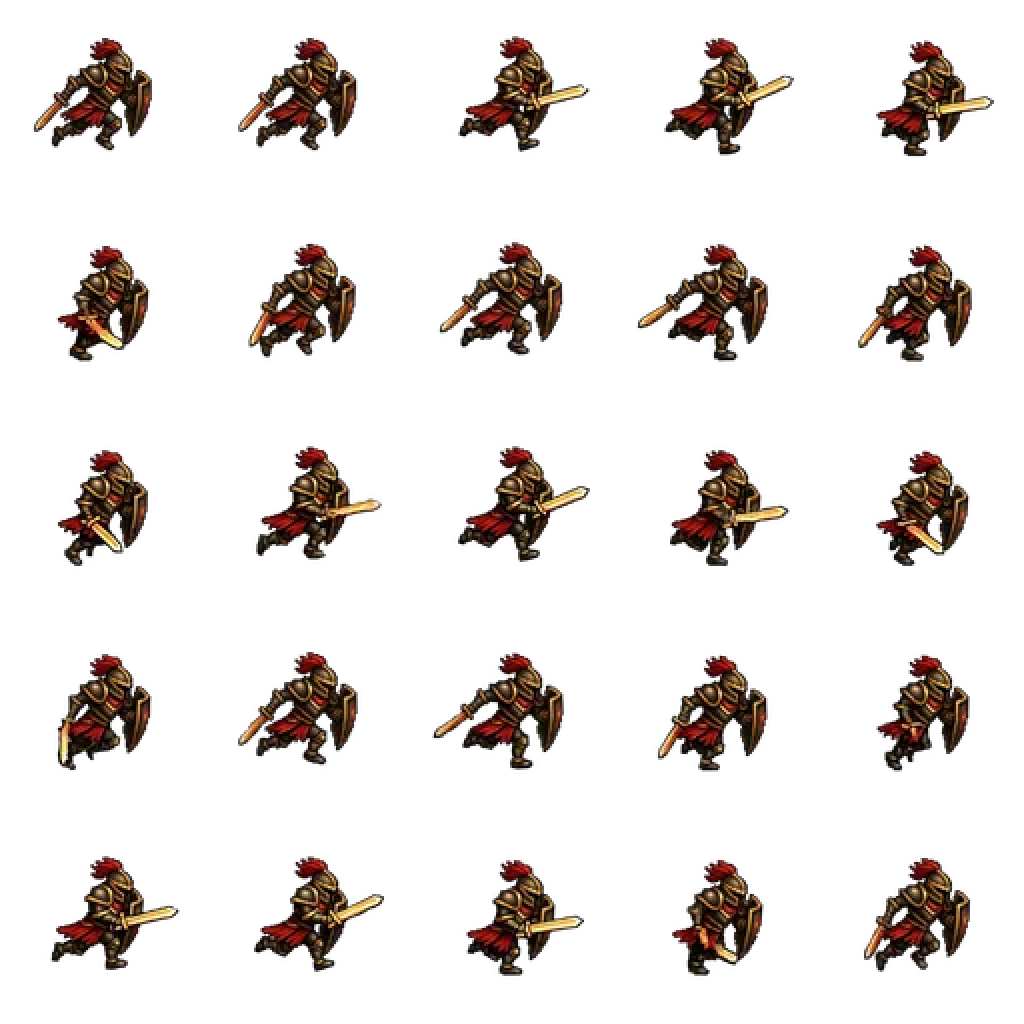
The same run as a sheet
Every frame of that run in a 5 × 5 grid of equal cells.
Sword attack
Wind-up, slash and recover in 8 frames.
Skeleton walk
An enemy walk cycle in chunky retro pixels.

Attack strip, one row
A 10-frame katana attack laid out in a single row.
Katana attack
The strip above, played as a loop.
Cartoon high kick
A fighting-game move in a clean cartoon style.
Chunky knight walk
A heavy armored walk with weight in every step.
Villager walk
An NPC walk cycle in a soft 3D cartoon look.
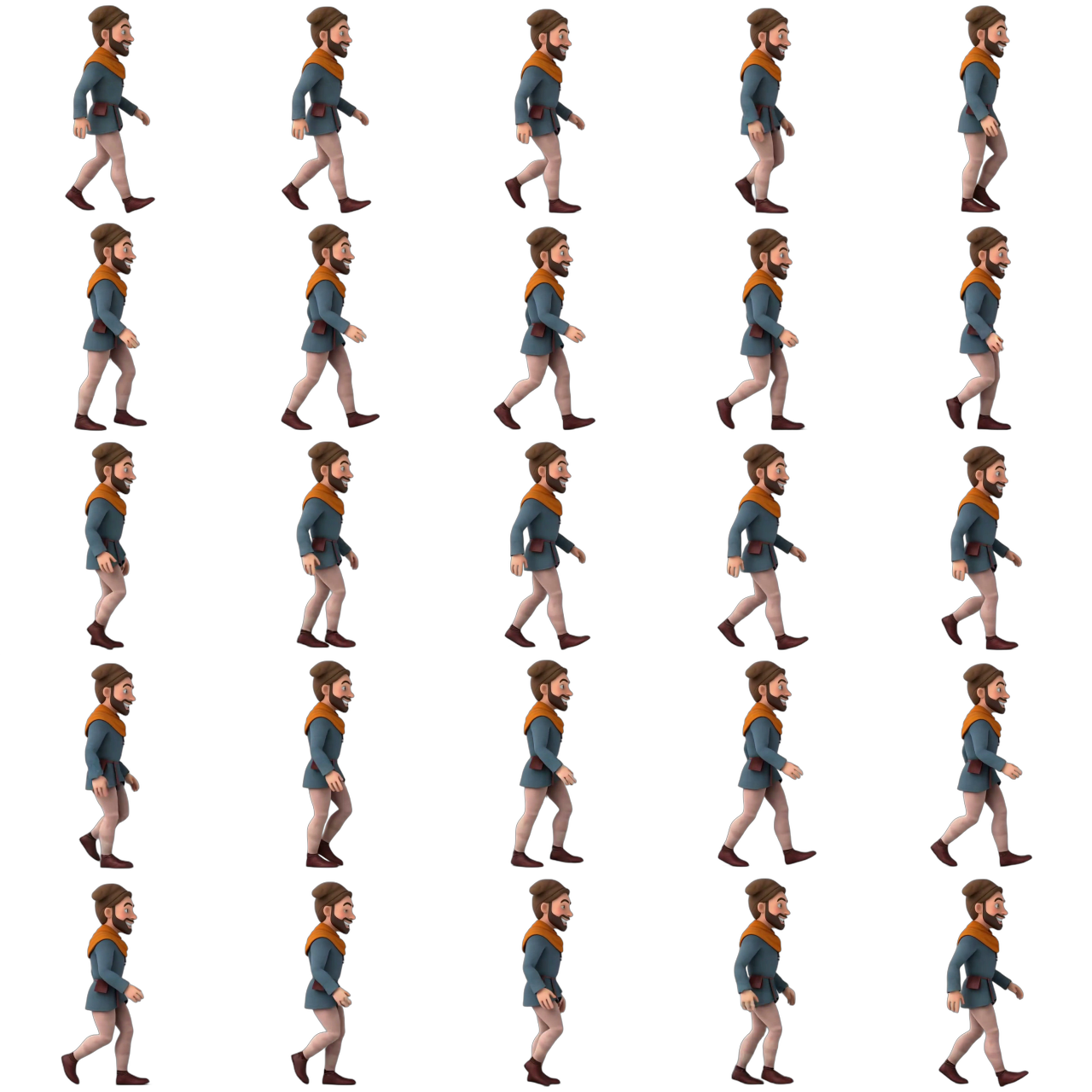
Villager walk sheet
The same walk as a 5 × 5 sprite sheet.
Fighting idle
A ready stance that breathes and bounces in place.
A sprite sheet generator that draws, not a packer
Many tools called sprite sheet generators are packers: you bring frames you already drew, and they glue them into one image with a coordinates file. That is handy if your animation exists. If it does not, a packer has nothing to work with.
This page makes the frames. Describe a character, or upload one, pick an action, and GPT Image 2.6 draws every frame of the move with the same character in each. The page then lays those frames out as a sprite sheet itself, so the cells are all the same size and the character stands on the same spot in every one, which is what an engine needs to play it back without jitter.
You get three files from one run: the PNG sprite sheet, a GIF of the same frames, and a JSON atlas with each frame’s position and timing.
Already have your frames?
Then a free packer such as TexturePacker or an online images-to-sprite-sheet tool is the faster route. Use this page when you need the animation itself.
What works, and what to expect
We ran the generator on knights, foxes, ninjas, mages, an elf ranger and an orc chef on the day GPT Image 2.6 came out, with and without reference pictures. This is what came back.
The character stays the same
Armor, colors, hair and proportions held from frame to frame in every test, including when the character came from an uploaded picture.
Truly transparent background
Every frame came back on a see-through background with hard edges, with no white box or halo to remove, so the sheet drops straight onto a game scene.
Pixel art that reads as pixel art
The 16-bit and 8-bit looks give chunky pixels and dark outlines. Shrink the cells to 64 or 128 px with crisp pixels on and they sit next to hand-made sprites.
Walk, run, attack and idle loops
Walk and run cycles swing arms and legs in the right order, attacks wind up and follow through, and idles breathe. These are the moves the model does best.
Moves stay in place
The character keeps its spot in every frame, which is right for walk and run cycles. A jump comes out as a crouch and stretch rather than leaving the ground, and big squash-and-stretch, like a bouncing slime, stays subtle. Move the sprite in your engine for height.
One action and one direction per run
Each run is one animation. For an RPG character facing four ways, run it four times with the same picture, choosing the direction in the description.
GIF colors
The frames travel as a GIF, so each frame has up to 256 colors. Pixel art and cartoon looks lose nothing; soft painted looks can band slightly.
Expect a little cleanup
Like every AI sprite tool, the odd frame can have a stray pixel or a hand in a slightly different place. Fix it in Aseprite or Piskel, or run it again.
How to make a sprite sheet with AI
- 1
Describe or upload your character
Write who it is in a sentence, or upload your own character art, a concept sketch or a sprite you already have.
- 2
Pick the action, look and frames
Choose walk, run, idle, attack, jump, a spell or your own move; pixel art or cartoon; side, front or top-down; and 4, 6, 8 or 12 frames.
- 3
Download the sheet
Check the loop in the GIF preview, choose one row or a grid and a frame size, then download the PNG sheet and the JSON atlas.
Use the sheet in your game engine
Every cell is the same size, frames run left to right and top to bottom, and the background is transparent, so the sheet loads like any hand-made one. The size of one cell is shown under the sheet.
Unity
Import the PNG, set Sprite Mode to Multiple, open the Sprite Editor and slice by Grid By Cell Size with the cell size shown. Select the frames and drag them into the scene to make the animation clip.
Godot
Add an AnimatedSprite2D, create SpriteFrames, choose “Add frames from sprite sheet”, set the columns and rows to match the layout, and select the frames.
Phaser and PixiJS
Load the PNG together with the JSON atlas (`this.load.atlas` in Phaser, `Assets.load` in PixiJS); every frame is already named and timed.
GameMaker, RPG Maker, Construct
Import the PNG as a strip or sheet and enter the frame count and cell size. For RPG Maker, make the four directions as four runs and line them up in rows.
Tips for better sprites
- Describe the silhouette and two or three colors, e.g. ‘a squat dwarf with a huge orange beard and a blue hood’: strong shapes survive at small sizes.
- Keep accessories few. A cape or a weapon animates well; ten tiny details flicker between frames.
- Use 8 frames for walk and run cycles, 4 to 6 for idles, 6 to 8 for attacks, 12 when the motion should be very smooth.
- Upload the same picture for every action of one character so the whole set matches.
- For pixel art, export at 64 or 128 px with crisp pixels on, then scale up by whole numbers in your engine.
- For the custom action, describe the poses in order: ‘raises the hammer, slams it down, dust puffs, lifts it back’.
Price per animation
A run makes one animation: one GIF and the sprite sheet cut from it. The default, 8 frames at medium quality, is 30 credits. New accounts get 100 free credits, enough for 3 to try it.
| Frames | Medium | High |
|---|---|---|
| 4 | 15 credits | 18 credits |
| 6 | 23 credits | 27 credits |
| 8 | 30 credits | 36 credits |
| 12 | 45 credits | 54 credits |
Credits come in packs, from 4000 credits for $49, about 133 default animations. A failed run is refunded. No watermark, and the sprites are yours to use in your games.
Sprite sheet generator FAQ
What is an AI sprite sheet generator?
It is a tool that draws the frames of a game animation for you, then lays them out as a sprite sheet: one image with every frame in a grid of equal cells. You describe a character or upload one, choose an action like walk or attack, and get the sheet back instead of drawing each frame by hand.
Is this a sprite sheet packer?
No. A packer combines frames you already have into one image. This page creates new frames from a description or a character picture, then builds the sheet from them. If your frames already exist, a packer is the better tool.
Can I turn my own character into a sprite sheet?
Yes. Upload a picture of your character, such as concept art, a drawing or an existing sprite, and pick an action. In our tests the uploaded character kept its outfit, colors and proportions in every frame.
Is the background transparent?
Yes. Every frame is drawn on a transparent background with hard edges, so there is no white box or halo to remove. The PNG sheet keeps that transparency.
Can it make pixel art sprites?
Yes. Choose 16-bit or 8-bit pixel art. The frames are drawn large, so for a classic small sprite set the frame size to 64 or 128 px with crisp pixels on when you download.
How many frames can a sprite sheet have?
4, 6, 8 or 12 frames per animation. Each frame is drawn at 816 × 816 pixels, and you can export the cells at that size or at 256, 128 or 64 px, in one row or a grid.
Which animations does it do best?
Walk cycles, run cycles, idle loops and melee attacks came out best in our tests. Jumps and big squash-and-stretch moves stay small, because the character keeps its place in every frame; add the movement in your engine.
Can I make a four-direction RPG character?
One run makes one animation in one direction. Choose the top-down view and run the same character picture once for each direction you need, then place the sheets in rows.
What files do I get?
A PNG sprite sheet, a GIF of the same frames, and a JSON atlas in the TexturePacker hash format that Phaser, PixiJS and many engines load directly, with each frame’s position and timing.
Is the AI sprite sheet generator free?
New accounts get 100 free credits, enough for 3 default animations (8 frames, medium, 30 credits). After that it is paid with credits, from 15 credits for 4 frames.
Can I use the sprites in a commercial game?
Yes. There is no watermark and the sprites you make are yours to use, including in games you sell. Do not upload characters you do not have the rights to.
Which AI model draws the frames?
GPT Image 2.6, the image model OpenAI released on November 4, 2026, run through fal. It draws all the frames of an animation in one pass, which is why the character stays consistent from frame to frame.
Animate your character now
Describe it or upload it, pick an action, and get a sprite sheet in about a minute.
Generate a sprite sheetRelated tools
Other pages that open the same studio, set up for a different kind of video.
- AI Character GeneratorGenerate a full-body 3D, cartoon or fantasy character, then make it move.
- OC MakerCreate an original character from a style and a few traits, or at random.
- Anime Character GeneratorMake your own anime character in eight anime styles, from shonen to chibi.
- AI Animation GeneratorShort animated clips, or a still image brought to life.
- AI GIF GeneratorText or a picture to a looping cartoon GIF, drawn by GPT Image 2.6.
- GPT Image 2.6 GeneratorOpenAI’s GPT Image 2.6 online: animated GIFs, pictures and edits.
- Photo to CartoonTurn a photo into a cartoon picture in 3D, 2D, comic or chibi style.