
AI Anime Video Generator: From Script to Anime Episode
Type an idea or paste your script and the AI anime video generator turns it into a narrated anime episode: it writes the scenes, draws your cast once and keeps every face the same from the first shot to the last, animates each scene and adds narration, music and captions. Only need one shot? Switch to Cartoon Clip and animate a single anime scene or your own drawing.
- Free credits to try
- Same characters in every scene
- Japanese narration available
- 15 seconds to 15 minutes
Sexually explicit (NSFW) content is strictly prohibited.
Anime clips made with the AI anime video generator
Each clip started from a still drawn in an anime style, then was animated with the prompt shown under it. The characters are originals made for this page.
Rooftop swordswoman at sunset
Classic cel-shaded anime: wind in the hair and scarf, petals in the air, a slow push-in as she draws her sword.
Show the prompt
Her red scarf and silver hair stream in a strong wind, cherry petals drift past, she slowly turns her head toward the camera and raises the katana; the camera pushes in gently. Smooth anime motion, limited and controlled, no morphing.
A boy and a fox spirit by the sea
A hand-painted watercolor look with gentle, calm motion, the quiet kind of scene anime films are loved for.
Show the prompt
Grass and wildflowers sway in a summer breeze, the clouds drift slowly, the white fox spirit's tail glows softly and it hops onto the fence, the boy points toward the sea and smiles. Calm, gentle anime motion.
Heroine against a storm dragon
Ink-heavy mythological anime with lightning, rain and a camera that tilts up to the dragon.
Show the prompt
Lightning flashes across the clouds, the storm dragon coils and roars, the heroine's blue cape billows as she plants her feet and lifts her spear, rain sweeps across the ruins; the camera tilts up toward the dragon. Weighty, dramatic anime motion.
Duel in a bamboo forest
A short shonen fight: a dash, a clash of staff and daggers, sparks and scattering leaves, then a leap apart.
Show the prompt
The two fighters dash at each other and clash, the wooden staff blocks the twin daggers with a burst of sparks, a ring of bamboo leaves scatters outward, then they leap apart. Snappy anime fight choreography, readable motion, no morphing.
Three anime looks for a whole episode
Pick a style before the scenes are drawn, and every scene of the story follows it.
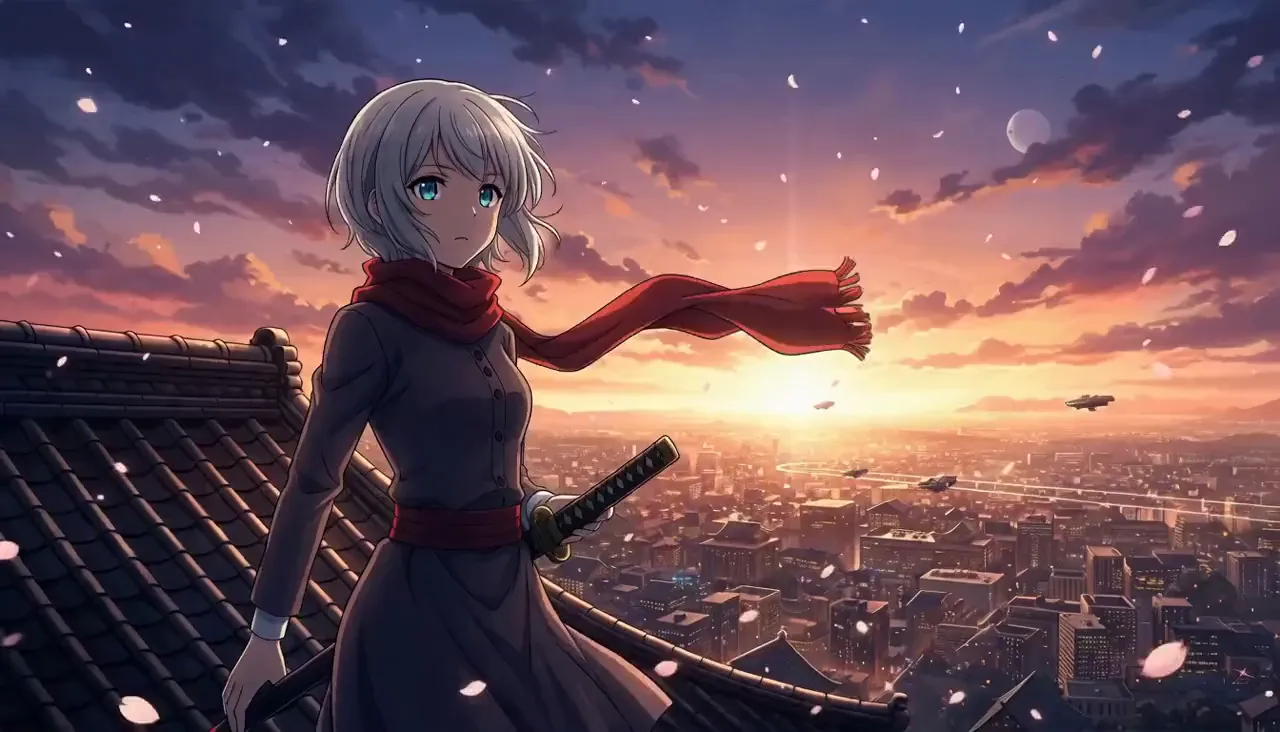
Anime
Clean line art, crisp cel shading, expressive eyes and bold color, the look of a TV anime series.
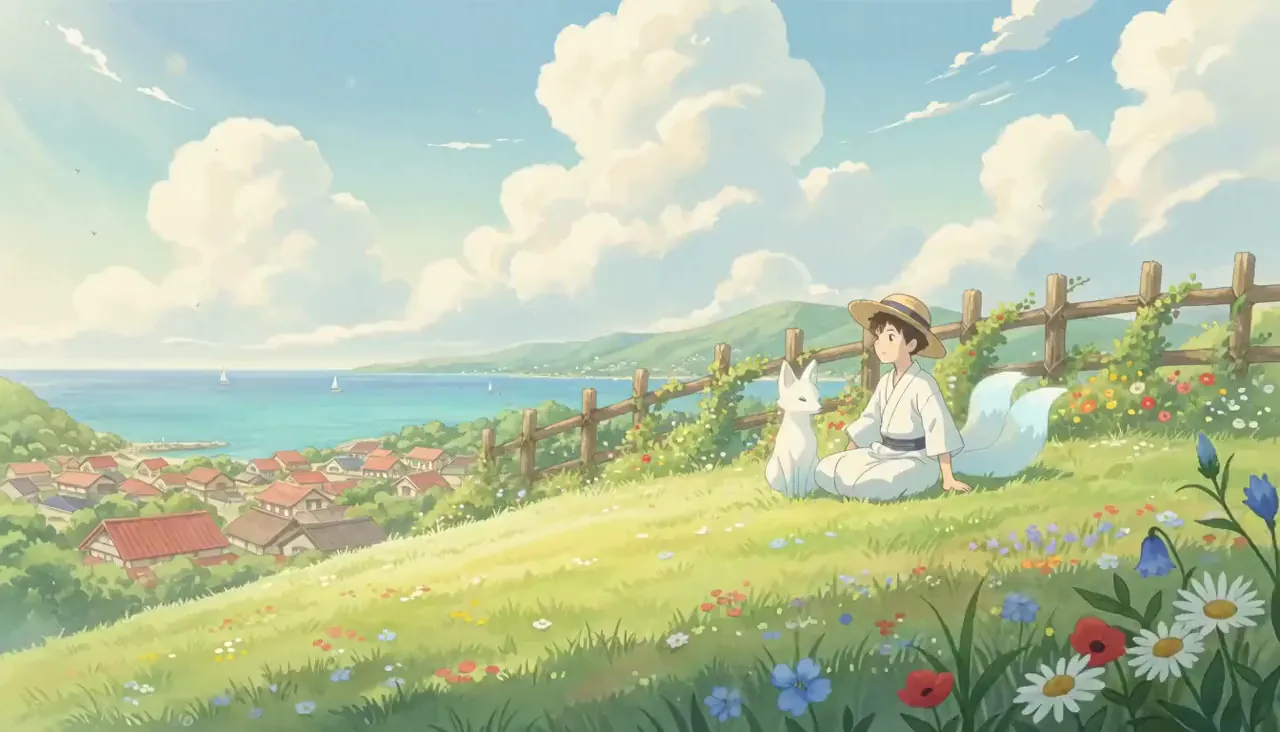
Whimsical Watercolor
Soft watercolor backgrounds, natural sunlight and nostalgic colors, for slower, gentler anime stories.
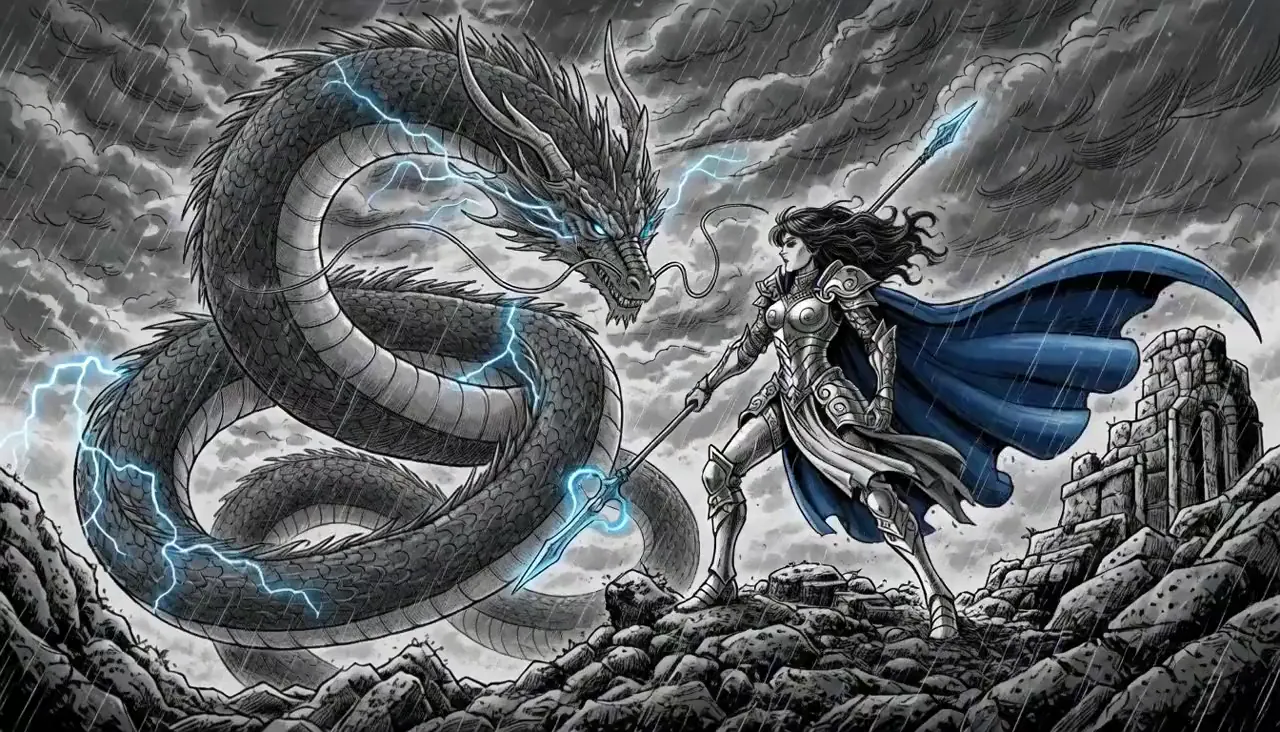
Mythology
Detailed ink work, ornate armor and ancient ruins, for epic fantasy and legends told as anime.
What is an AI anime video generator?
An AI anime video generator turns words into an animated anime video. You describe what happens; the AI writes or follows the script, splits it into scenes, draws each one in an anime style, animates it and puts the pieces together with a narrator and a soundtrack.
Most AI anime tools stop at one shot of five to ten seconds, and the first complaint from people who make AI anime is that the character changes face between shots. ToonBee AI starts from the whole story instead: the cast is drawn once, you approve it, and that same picture guides every scene, so your hero keeps the same hair, eyes and outfit for the whole episode.
So this AI anime video generator suits stories told across many scenes: the first episode of your own series, an anime retelling of a legend or a bible story, a YouTube anime story channel, or a short with your original characters. For a single shot — a fight beat, a title moment, your own drawing brought to life — the Cartoon Clip mode animates one scene at a time.
How to make an anime video with AI
- 1
Write an idea or paste a script
One line is enough — “a girl who can hear the sea finds a fox spirit” — and the AI writes the script. Already have one? Paste it and it is used word for word.
- 2
Keep the anime style, pick the length
The box opens on the Anime style; switch to watercolor or mythology if you like. Choose the narration language, 16:9 for YouTube or 9:16 for Shorts, and a length from 15 seconds up.
- 3
Approve your cast
The generator draws each main character once from the script. Redraw anyone you dislike, then approve: those pictures are the reference for every scene.
- 4
Check the scenes, then animate
Look through the scene pictures, redraw any that miss, choose which scenes move, add music and captions, and export the finished anime video.
Why use this AI anime video generator
One face per character, every scene
Up to 3 main characters are drawn once and reused as the reference for every scene, so the hero in scene one is the hero in the last scene — the problem anime creators complain about most.
Whole episodes, not five-second clips
Scenes, narration, music and captions come out as one anime video, anywhere from a 15-second short to a 15-minute episode, with no clip-by-clip prompting and no editor.
Anime styles that stay put
Cel-shaded TV anime, hand-painted watercolor or ink-heavy mythology: the style you pick is applied to every scene, so the episode does not drift between looks.
Narration in Japanese and more
Choose from 17 narration languages, Japanese among them, with a soundtrack from the library or composed for your story and captions in the style you choose.
Single anime shots too
Cartoon Clip mode makes one anime shot of up to 15 seconds from a prompt, or brings your own drawing to life by using it as the first frame.
The price before you press
Every step shows its credit cost first. If an animation fails, its credits come back automatically, so you do not pay twice for a retry the generator caused.
What people make with an AI anime video generator
Episode one of your own anime
An isekai, a dark fantasy or a slice-of-life story with your own cast, kept the same from episode to episode.
YouTube anime story channels
Narrated anime stories in 16:9, or vertical anime shorts for Shorts, Reels and TikTok in 9:16.
Fight scenes and openings
A duel, a transformation or a title sequence for a show that only exists in your head, made shot by shot in Cartoon Clip.
Legends and bible stories as anime
Myths, folk tales and scripture stories retold in the mythology or anime style, with a narrator carrying the story.
Your original characters
Upload your OC drawing in Cartoon Clip and use it as the first frame, so the shot starts from your art.
Music videos and edits
Anime visuals for a song or a short edit, made as a run of single shots you cut together.
AI anime video generator vs other ways to make anime
Three common routes to an anime video, and where each one fits.
| AI clip apps | ToonBee AI anime video generator | Running models yourself | |
|---|---|---|---|
| You start from | One prompt or image per shot | An idea or a whole script | Workflows, prompts and settings |
| Length | 5–15 second clips | 15 seconds to 15 minutes | Clips you stitch |
| Characters across scenes | Often change between clips | Drawn once, reused in every scene | Up to your references and patience |
| Narration and music | Usually added separately | Included | Added separately |
| What you need | An account and credits | An account; free credits to start | A strong graphics card and time |
Clip apps give the most control over one shot, and running open models locally costs nothing but hardware and hours. For a told story with a cast that stays the same, generating the whole episode saves the stitching.
Is the AI anime video generator free?
You can try it free: every new account gets free trial credits, with no subscription and no card. Writing the script and drawing the scenes cost very little; animation is what uses credits.
A narrated 30-second anime video is about 124 credits with still, illustrated scenes, or about 924 with every scene animated. A single 5-second anime clip on H3 Max Turbo is 63 credits. Every step shows its exact cost before you confirm.
Plans start at $39 a month for 5,000 credits, about 5 fully animated 30-second episodes. Prefer not to subscribe? A one-time pack is $49 for 4,000 credits that never expire.
Good to know before you start
- A story keeps up to five of your own pictures and up to three AI-drawn main characters fixed; side characters are drawn per scene.
- Each scene animates as a 5 to 15 second shot, so fast action is told across more scenes rather than one long one.
- Narration is a narrator voice. Characters do not lip-sync their own lines yet.
- It does not restyle your own video footage into anime, and a photo you upload is animated as it is, not redrawn as anime first.
- Content rules apply: no explicit content, and characters from existing series belong to their owners, so original casts are the safe choice.
- If an animation fails, its credits come back automatically.
AI anime video generator FAQ
Is there a free AI anime video generator?
Yes. Every new ToonBee AI account gets free trial credits, with no subscription and no card needed, so you can make an anime video before deciding whether to pay. Plans and one-time credit packs are there when you need more.
Can I turn a script or a story into an anime video?
Yes. Switch to “paste a script” and the generator follows your words exactly: it splits the script into scenes, narrates it, draws and animates each scene in the anime style and adds music. Or type a one-line idea and let the AI write the script first.
How do I keep the same anime character in every scene?
Each main character is drawn once, before any scene, and that picture is the reference for every scene. You approve the cast first, so the face, hair and outfit stay the same across the episode. You can also attach up to 5 pictures of your own characters as you write the story. A story keeps those and up to 3 AI-drawn main characters fixed.
How long can an AI anime video be?
A story runs from 15 seconds up to 15 minutes; longer scripts are cut into more scenes, each animated as its own shot. A single clip in Cartoon Clip runs up to 15 seconds.
How much does it cost to make an anime video with AI?
A narrated 30-second anime video costs about 124 credits with still scenes, or about 924 credits with every scene animated. The exact cost is shown before each step, and failed animations are refunded automatically.
Which anime styles can I choose?
For whole stories: Anime (clean line art and cel shading), Whimsical Watercolor (a soft, hand-painted look) and Mythology (ink-heavy epic fantasy), alongside the other styles. In Cartoon Clip you describe the look in the prompt, such as 90s anime, chibi or shonen action.
Can I animate my own anime drawing or OC?
Yes, as a single shot: in Cartoon Clip, upload the drawing as the first frame and describe the motion. In a whole story the cast is drawn by the generator from your script for now.
Can it turn my video or photo into anime?
Not yet. It does not restyle video footage, and an uploaded photo is animated as it is rather than redrawn in an anime style. Start from a drawing or a prompt for an anime look.
Does it do Japanese voices?
Narration comes in 17 languages, Japanese among them, read by a narrator. Characters do not speak their own lip-synced lines yet.
Is there a watermark, and can I post the videos on YouTube?
Story videos have no watermark by default, and you can use what you make commercially, YouTube included. YouTube looks for original, non-repetitive videos when it decides on monetization, so write your own stories and characters rather than repeating one template.
More ways to animate
Make your first anime episode
Write one line or paste a script — the AI anime video generator draws the cast, keeps them consistent and animates the story.
Start with the free credits