
How to Make Your Own Cartoon Show with AI, Episode by Episode
A practical way to make your own cartoon show alone: fix a cast that looks the same in every episode, write each episode as a narrated script, keep one art style, render and publish to YouTube as a series. With the limits, stated plainly.
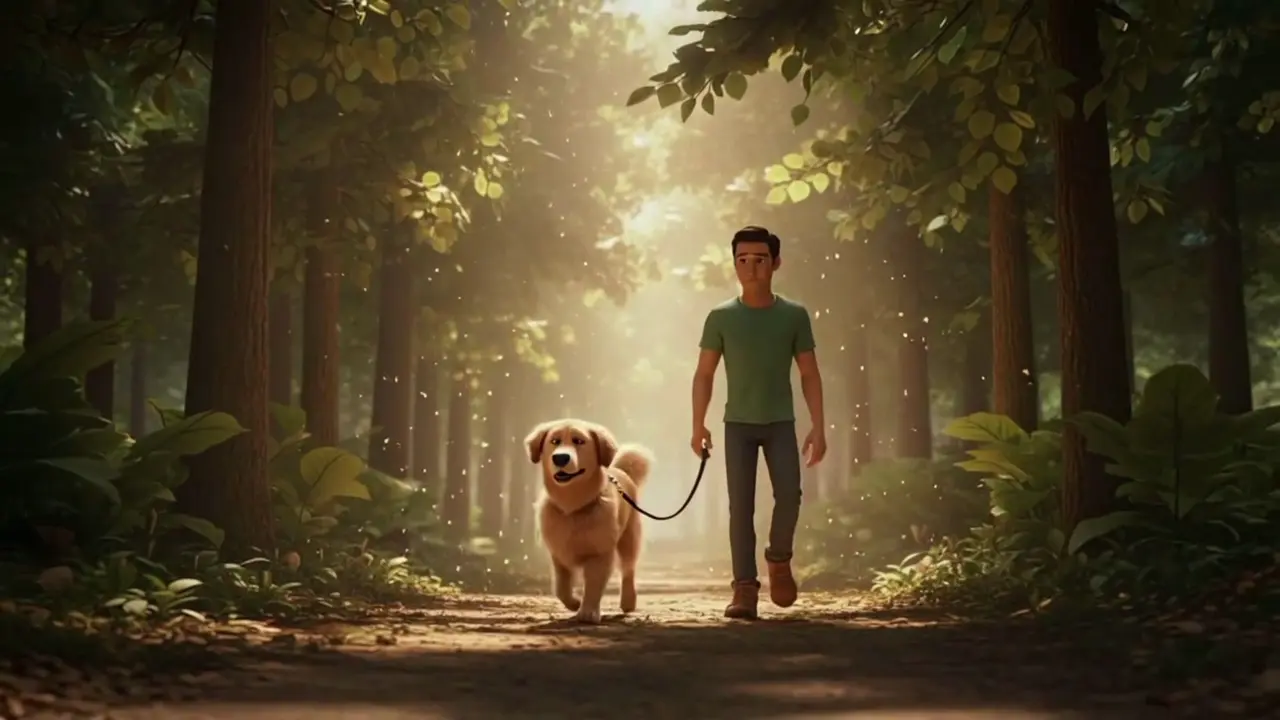
Most advice on how to make your own cartoon show starts with money. A widely shared r/animation thread puts outsourced animation at around $5,000 a minute, and the animators replying say that is low: indie pilots often run $10,000 a minute or more, before voice, editing and sound. The thread's advice follows from that number — raise the money, make a pilot, pitch a studio, wait.
There is another route now, and it suits a different goal. If what you want is a running series with your own characters, published on your own channel, an AI cartoon show maker can turn a written episode into a finished, narrated cartoon in an afternoon. It will not replace a studio pilot. It will let you find out whether your show has an audience before you spend anything close to studio money.
This guide walks through that route using ToonBee AI's story video tool, from the cast to the YouTube playlist, and is specific about what the tool can and cannot do.
Quick answer
To make your own cartoon show with AI:
- Fix the cast once. Draw or generate a picture of each regular character and keep those files. They are what keeps the faces the same from episode to episode.
- Write every episode as narration. One narrator tells the story; characters act it out on screen.
- Pick one art style and one narrator voice and never change them mid-series.
- Render each episode as its own video, attaching the same character pictures every time. For lines a character says on screen, make short lip-synced clips with Seedance 2.5 or MiniMax H3 and cut them in.
- Publish as a series: same aspect ratio, same title pattern, one playlist.
The rest of this guide explains each step and the decisions behind it.
What kind of show this makes
Be clear about the format before you plan twelve episodes. What the story video tool makes is a narrated cartoon: a narrator tells the story while illustrated scenes play on screen, with music and captions. Think storybook channel, animated history series, a mascot's weekly adventure or a fable anthology. When characters need to speak on screen, you add those shots separately with a video model that does dialogue and lip sync (step 4b below).
Here is a short character piece made with the tool: two leads, several scenes, one look throughout.
What you get per episode:
- From 15 seconds up to 15 minutes, depending on the length of the narration.
- 16:9 for a YouTube series, or 9:16 for Shorts and TikTok.
- Narration in 17 languages, background music from a library or composed for the story, and captions in a style you pick.
- No watermark by default, cleared for commercial use including YouTube.
What you do not get:
- No dialogue inside the episode render. The story video tool is built around one narrator, so in the episode itself characters do not speak on screen; write their lines as reported speech ("Max told her the bridge was out"). Talking scenes are made as separate clips with Seedance 2.5 or MiniMax H3, which voice the lines and sync the lips, and you cut them in with a video editor.
- No series memory. Each episode is a separate video. The tool does not remember last week's cast for you; you carry it forward by attaching the same pictures (step 1 below).
- A cap on fixed characters per episode: up to five pictures you attach yourself, plus up to three characters the AI draws for you. More on that below.
If your show is a told story, the episode render covers almost everything. If it depends on characters talking to each other, plan for a few dialogue clips per episode and an editing pass.
Step 1: Fix the cast
Consistency is the problem every AI cartoon series runs into. Most AI video tools generate a five- or ten-second clip at a time, and the hero's face, hair and jacket drift between clips. Over one episode that is distracting; over a season it means you no longer have a recognisable character.
ToonBee AI handles this in two ways, and a series should use both deliberately.
Your own pictures (up to 5 per episode). In the story box, choose Character or reference, upload a picture, mark it as a character, object or place, and give it a name. Wherever that name appears in your script as @Name, every scene draws it from your picture. Places and objects count too, so a recurring treehouse or a signature red kite can be fixed the same way.
Characters the AI draws (up to 3 per episode). In the Cast step, the AI reads your script, finds the main characters and draws a reference picture for each, in the art style you chose. You can edit each character's name and look before drawing. The renderer keeps at most three drawn characters consistent within a story, so this is the limit, not a soft guideline.
For a series, the practical rule is:
- Regulars go in as your own pictures. If you already have character art, upload it. If you do not, let the AI draw the cast in episode one, then save those pictures and attach them as your own pictures from episode two onward. That way the regulars are drawn from the same file every week instead of being redrawn.
- Guest characters go in the Cast step. A villain who appears once can be drawn fresh for that episode.
- Budget the five slots. Three regulars plus the home location plus one recurring prop is a full box. If your ensemble is larger, rotate who appears in each episode rather than cramming everyone in.
Write a one-line description for each regular — "Max, a scruffy brown terrier with a red collar and one floppy ear" — and reuse it word for word every time. Small wording changes are one of the ways a look drifts.
Step 2: Write each episode as narration
A narrated series lives or dies on the script. You can start from a one-line idea and let the AI write the episode, or paste a script you wrote; either way you see and edit the full narration before anything is drawn, and every word of it will be spoken.
A few rules make episodes hold together as a show:
- Give every episode the same shape. A cold open line, the problem, two or three beats of trying, the resolution, a closing line that names next week's episode. Viewers learn the rhythm.
- Use the
@Nametokens consistently so the regulars are always drawn from their pictures. - Size the episode by word count. Spoken English runs at roughly 150 words a minute, so a 600-word script is about four minutes. The script box takes up to 9,000 characters, about 1,500 words, which covers a ten-minute episode.
- Write for the eye as well as the ear. The tool cuts the narration into scenes of a few seconds each and draws one picture per scene. Sentences that describe something visible ("Max skidded to a stop at the edge of the broken bridge") make better scenes than sentences about feelings.
- Keep a series bible. One document with each character's description, the places, running jokes and what happened in each episode. Paste from it; do not retype.
If you already have finished scripts, our script to video guide covers pasting a script and having the tool follow it word for word. For ideas on wording a scene so it draws well, see our AI cartoon video prompts.
Step 3: Choose one art style and one voice
There are more than 60 art styles, from 3D animation and clay to anime, watercolor and comic book. Choose once, for the whole series. The style changes how the AI draws your characters, so switching styles between episodes changes your cast's look even when the reference pictures stay the same.
The same goes for the narrator. The narrator is the voice of your show; pick one voice and keep it, along with the music mood and caption style. Note your choices in the series bible so episode nine matches episode one.
A good test before committing: render a 30-second teaser in two or three candidate styles with the same cast and the same paragraph of script, and compare them side by side. If you are leaning toward a 3D animated look, the AI 3D cartoon video generator starts there by default.
Step 4: Render the episode
From the script, the tool works through these steps, and you approve each one before it moves on:
- Script — read and edit the narration.
- Cast — confirm the characters and draw the ones you did not attach.
- Scenes — one picture per scene. Edit a scene's prompt or redraw it until it is right; later steps use these pictures as they are. This is where you catch a character who came out wrong.
- Sound — the narrator voice, the music and the captions.
- Animate — pick which scenes move. Scenes you do not pick stay as the still picture with a slow zoom.
That last choice is your main cost lever. Drawing the scenes and voicing the narration are comparatively cheap; animation is what uses most of the credits. Writing the script is free, every step shows its credit cost before you confirm, and failed animations are refunded automatically. Many narrated series animate only the action beats and leave the quieter narration over still, illustrated scenes, which is also how a lot of storybook channels look.
Here is a longer story made the same way — a told story with a recurring cast, where a face changing between scenes would ruin it:
When the episode is done, download the MP4 from your videos list.
Step 4b: Add the scenes where characters talk
A narrator carries most of an episode, but a show comes alive when the characters get a line or two of their own. For those moments, use the video generator rather than the story tool:
- Pick a model with sound. MiniMax H3 (5–15 seconds per clip) and Seedance 2.5 (5–30 seconds) both generate the voices with the picture and sync the lips to the words. Put each line in quotes and say who speaks it: Max looks up at Luna and says, "The bridge is out."
- Use reference mode with your cast pictures. Attach the same character pictures you use for the episode (up to nine images per clip), so the talking shot matches the narrated scenes around it. Keep the art style words in the prompt the same as the episode's style.
- Keep each exchange short. One or two lines per clip lands better than a long conversation, and a clip that comes out wrong is cheap to redo.
- Cut them in. Download the clips and drop them into the episode in any video editor — CapCut, iMovie, DaVinci Resolve — at the point the narration sets them up. Lower the music under the dialogue so the voices are clear.
Our MiniMax H3 prompting guide shows how to write dialogue prompts, with examples of lip-synced lines made from text alone.
Step 5: Publish it as a series
A show is a set of episodes people can find in order. On YouTube:
- One playlist per season, episodes in order. Link the playlist in every description.
- A fixed title pattern: "Show Name — Ep. 3: The Broken Bridge". Searchers and returning viewers both scan for it.
- Consistent thumbnails: the same character in the same corner, the episode number large.
- A regular schedule. A weekly episode you can actually sustain beats a burst of five followed by silence.
- Shorts as trailers. Render a 9:16 cut of the best moment and point it at the full episode.
On monetisation: YouTube looks for original, non-repetitive content, so write a new story for every episode rather than recycling one template with the names swapped. YouTube also asks creators to disclose realistic altered or synthetic content; check its current guidance for your channel, though stylised cartoons are generally not what that rule targets.
What this costs compared with a studio
The thread above budgets a five-minute pilot at around $25,000 with outsourced animation, and replies put it higher. With an AI cartoon show maker, the cost of an episode is a matter of credits, and it depends mainly on how many scenes you animate. Check the pricing page for current plans; the tool shows the exact cost of each step before you spend anything.
The trade-off is control and polish. A studio pilot has acted dialogue, timed comedy and hand-made animation. An AI series gets you part of the way, with narration, generated dialogue clips and AI animation, but not a studio's timing and craft. What it does is let one person publish a season and learn what an audience responds to. If the show finds viewers, that is the case you take to a studio or a crowdfunding page later.
FAQ
Can I make my own cartoon show for free?
You can create an account and have the AI write episode scripts for free. Drawing the scenes, the narration and the animation use credits, so a finished episode is not free. Leaving most scenes as still pictures and animating only the key moments keeps the cost of each episode down.
What is the best cartoon show maker for a series?
The one that keeps your characters the same across episodes. Clip generators give the most control over a single shot but leave you to stitch and match faces by hand; template apps are fine for simple explainers. For a told story with a recurring cast, a tool that takes a whole script and fixes the cast from reference pictures saves the most work.
How do I keep characters consistent across episodes?
Attach the same picture of each regular character to every episode and cite it in the script as @Name. If the AI drew your cast in the first episode, save those pictures and attach them from then on. Keep the same art style and the same one-line description for each character.
How many characters can I have?
Per episode, up to five pictures you attach yourself (characters, objects or places) and up to three characters the AI draws from your script. A larger ensemble works if not everyone appears in every episode.
Can my characters talk?
Yes, in separate clips. The episode render is told by one narrator, so characters do not speak inside it. For talking scenes, generate clips with MiniMax H3 or Seedance 2.5 in the video generator, which voice the lines and sync the lips, using your character pictures as references, then cut them into the episode with a video editor.
How long can an episode be?
From 15 seconds up to 15 minutes. The length follows the narration, and the script box takes up to 9,000 characters, about 1,500 English words.
Can I put the episodes on YouTube and earn money from them?
Videos have no watermark by default and are cleared for commercial use, including YouTube. Monetisation is YouTube's decision: write original episodes rather than repeating one template, and follow its disclosure rules for synthetic content.
Start your first episode
Write episode one, attach your cast and render a short teaser before committing to a full season.